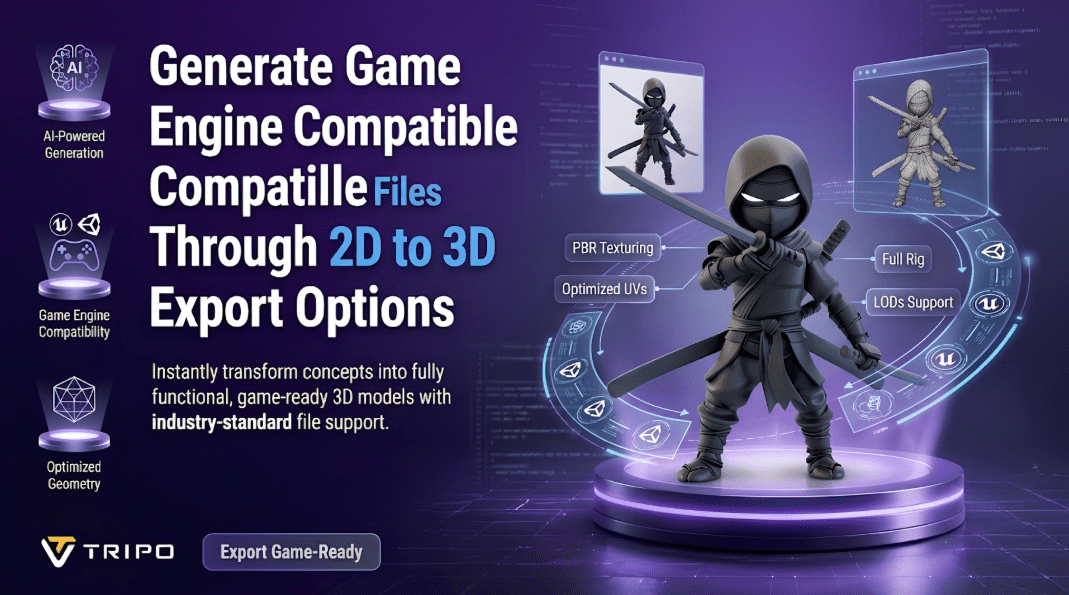
In the current content creation landscape, the ability to quickly generate assets and export them in a flexible manner is crucial. Game developers often require assets that remain editable and compatible across different applications and engines. With Tripo 3D, flat images can be converted into structured 3D models. The platform generates organized geometry, textures, and materials for further development. Export-ready assets can reduce integration time within development pipelines. Tripo 3D also provides various export options to support different project requirements.
Understanding Game Engine Requirements for 3D Assets
Several asset components work together during the rendering process in game engines. Shape and structure are defined by geometry, and texture adds detail. Material information controls how surfaces respond under different lighting conditions. The export structure directly impacts performance, editing flexibility, and asset management. An organized mesh can help make importing and editing workflows smoother. Compatibility factors may involve the type of topology, texture resolution, material support, and choice of file format. Well-designed assets can reduce import issues and improve consistency across development environments. When exported assets match engine requirements, the 2d to 3d conversion process becomes more effective.
How Tripo 3D Converts 2D Images into Engine-Friendly Models
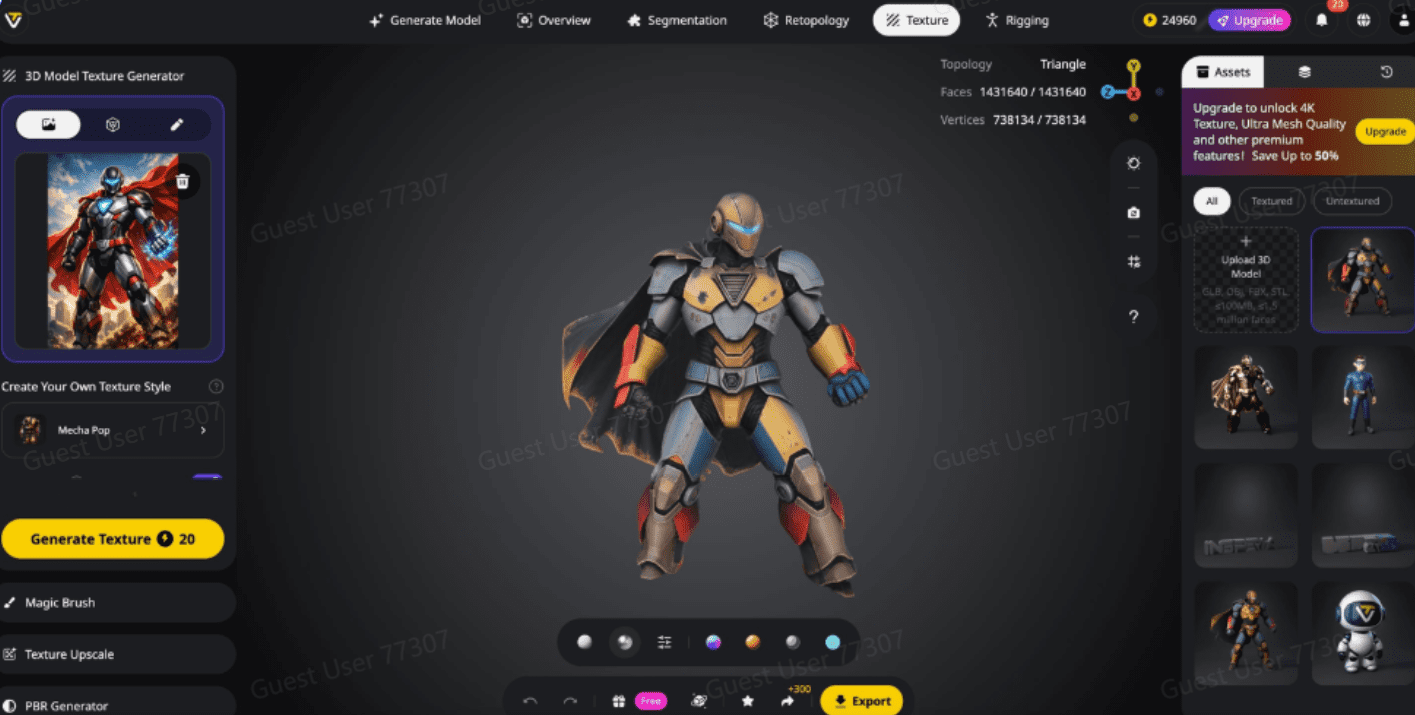
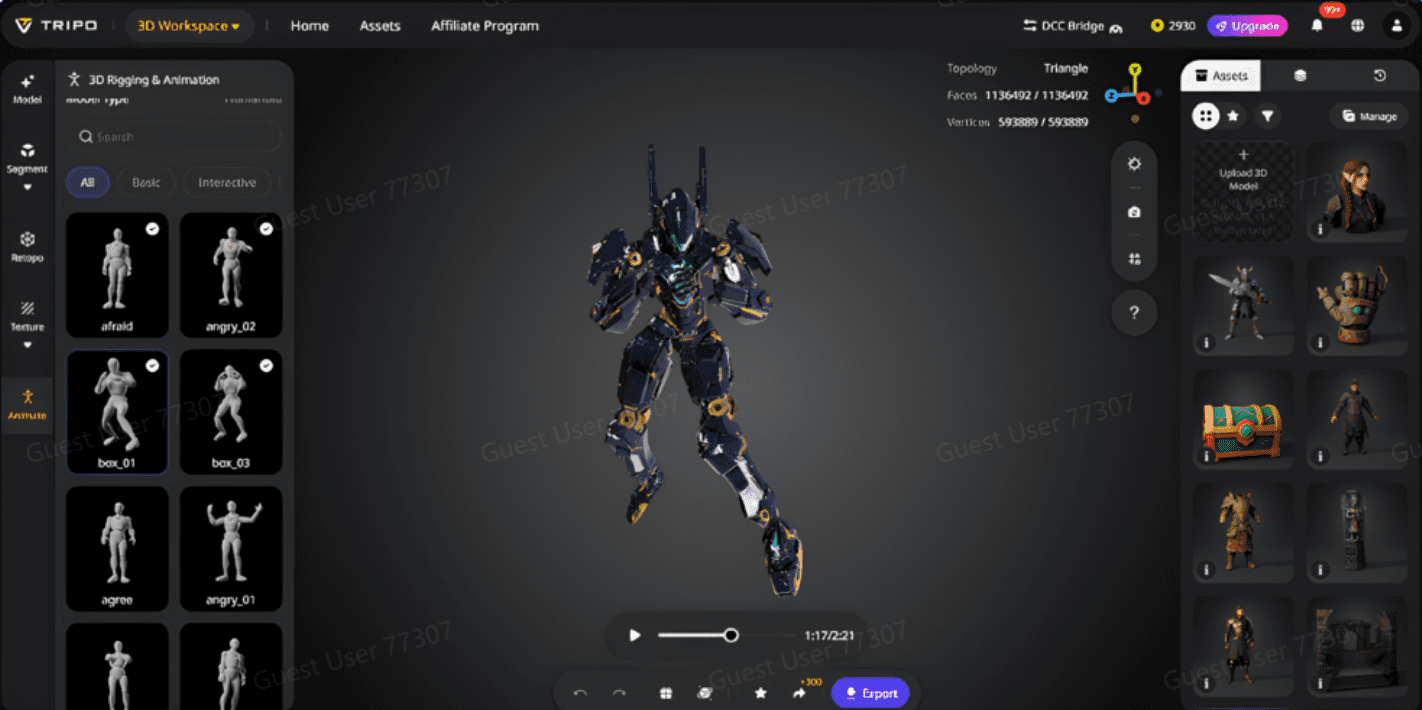
Tripo 3D processes 2D input and generates 3D representations of depth, shape, and surface details. The platform analyzes visual information to generate coherent 3D geometry. Structured topology supports subsequent editing, optimization, and asset refinement. Tripo 3D can be used with photos, concept art, illustrations, and technical drawings. A model can be generated from a single image, while multiple images may improve model completeness. Additional views can help reduce mesh gaps and improve surface continuity. The platform generates assets that can be transferred into game development pipelines and edited further. Built-in features such as auto rigging provide additional asset preparation options for animation projects.
Steps to generate game engine-compatible files through 2D to 3D export options
Step 1: Upload source images for engine-ready conversion
-
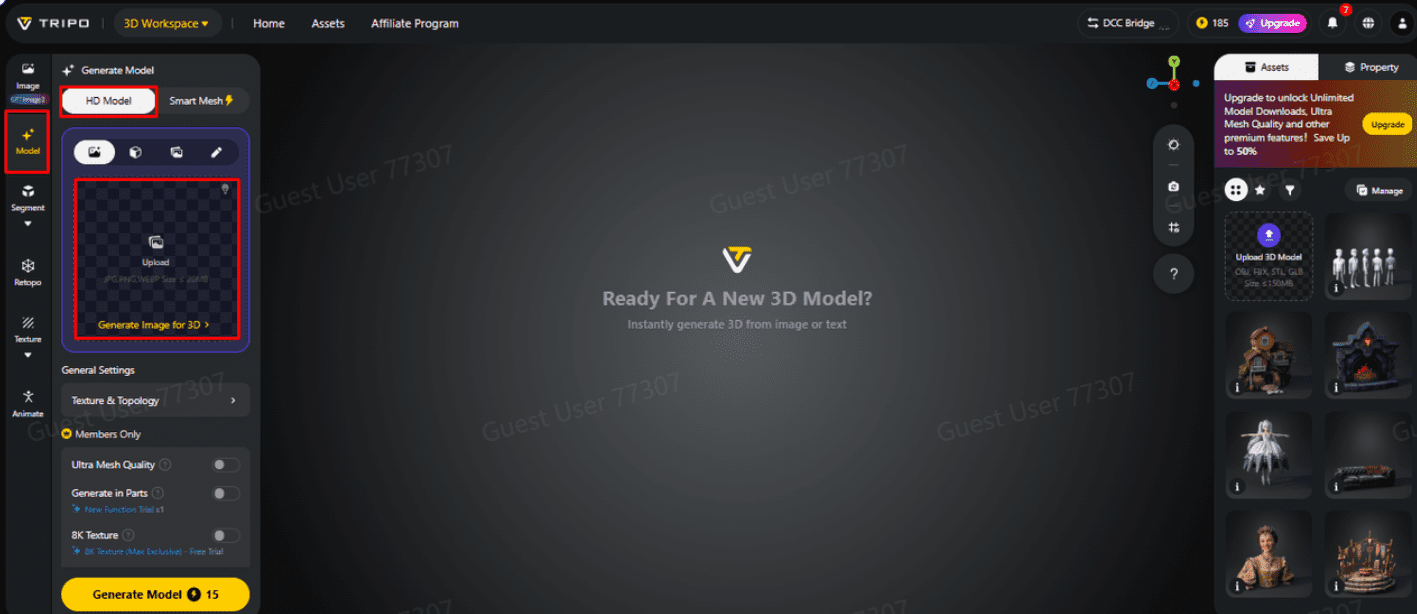
First, you need to access Tripo 3D and signup. Next, go to the “Model” tab present in the vertical left menu bar.
-
Under the menu, click on the “HD Model”.
-
You can drag and drop to upload the image, or you can also upload the image from a specific location of your device using the “Upload” tab.
Step 2: Configure settings for engine-friendly assets
-
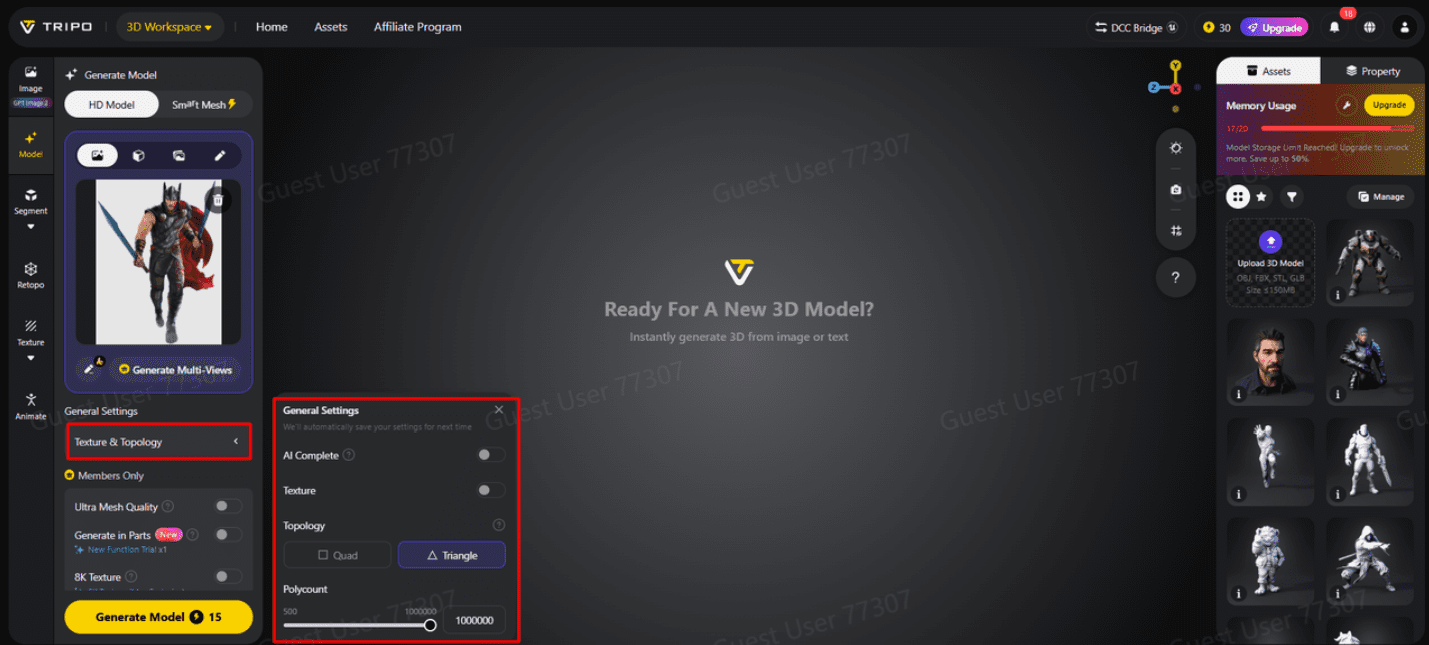
Under the “General settings” tab, you can either allow the AI to completely generate on its own by switching “AI complete”. Or you can turn on texture and select the custom “Texture Quality” like 2K, 4K, or 8K.
-
You can also turn on “PBR” for accurate material reflective properties.
-
For better topology characteristics, select either “Quad” or “Triangle” topology.
-
You can also set the custom polycount.
-
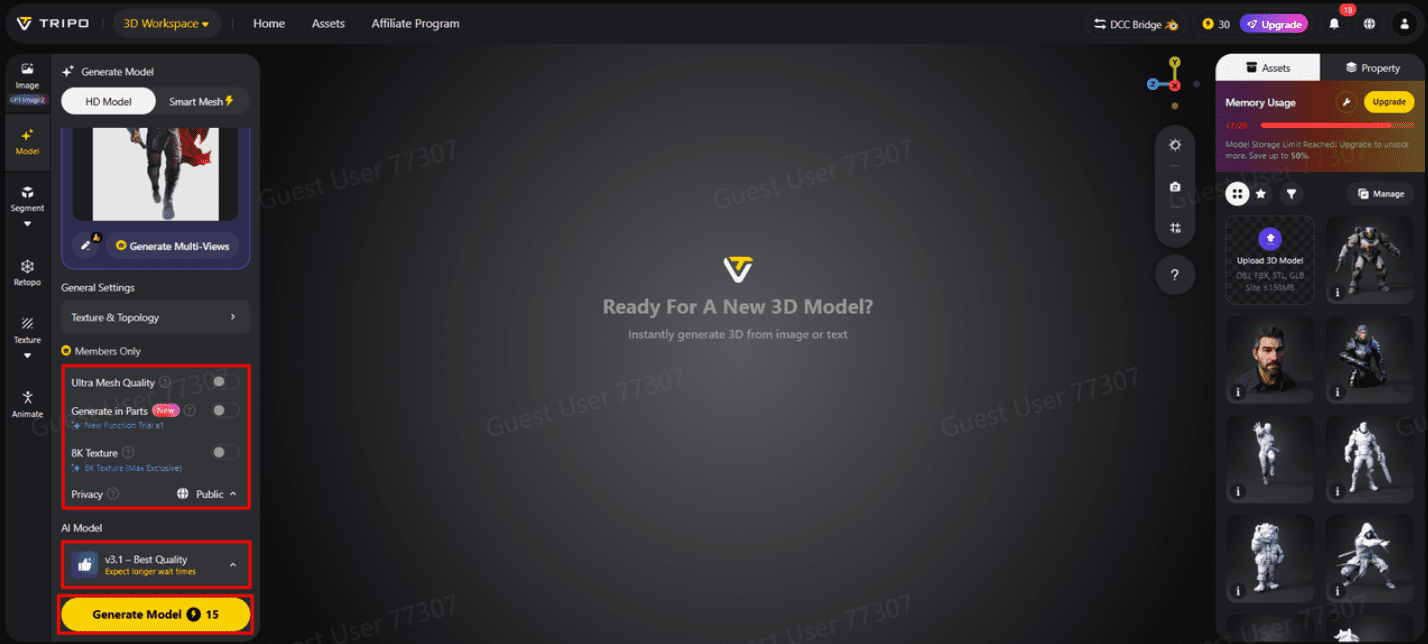
Later choose the model from the list, including v3.1 best quality, v3.0 fast and balanced, or v2.5 legacy.
-
If you are a member, then you can choose “Generate in Parts”, “8K Texture”, and “Privacy” options.
-
Finally, click on the “Generate Model” to begin generation.
Step 3: Export compatible files for game engines
-
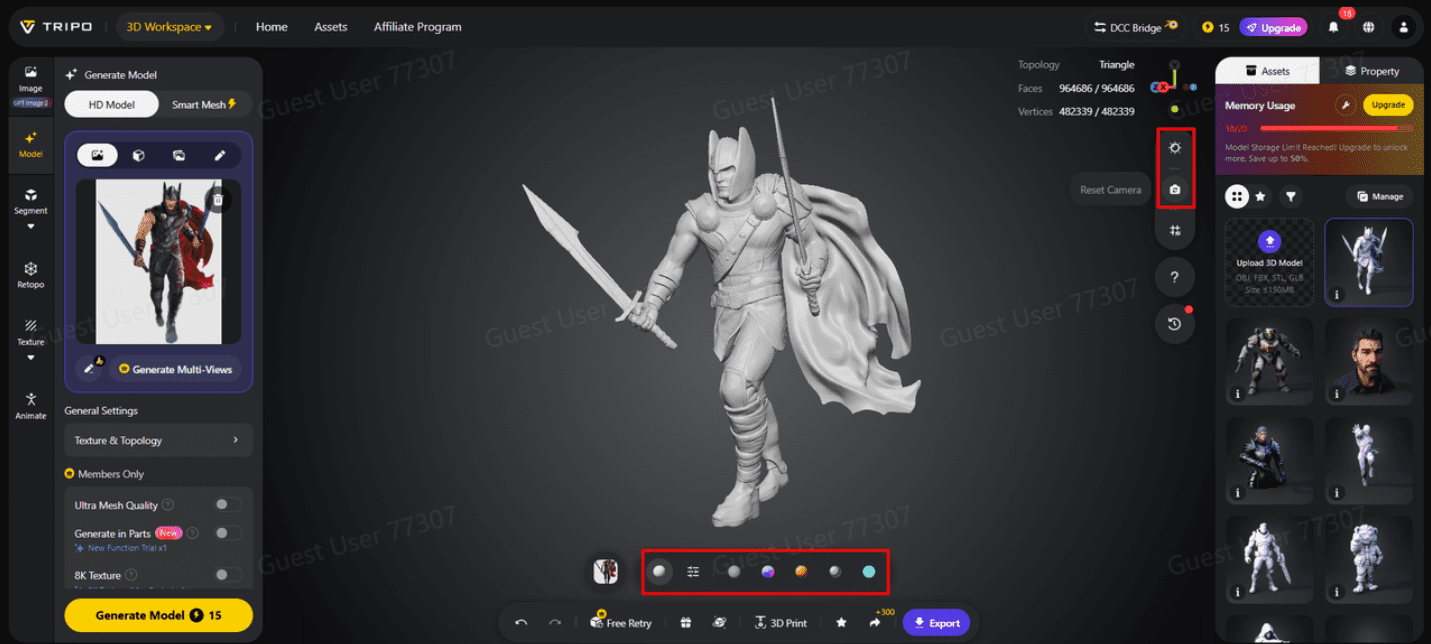
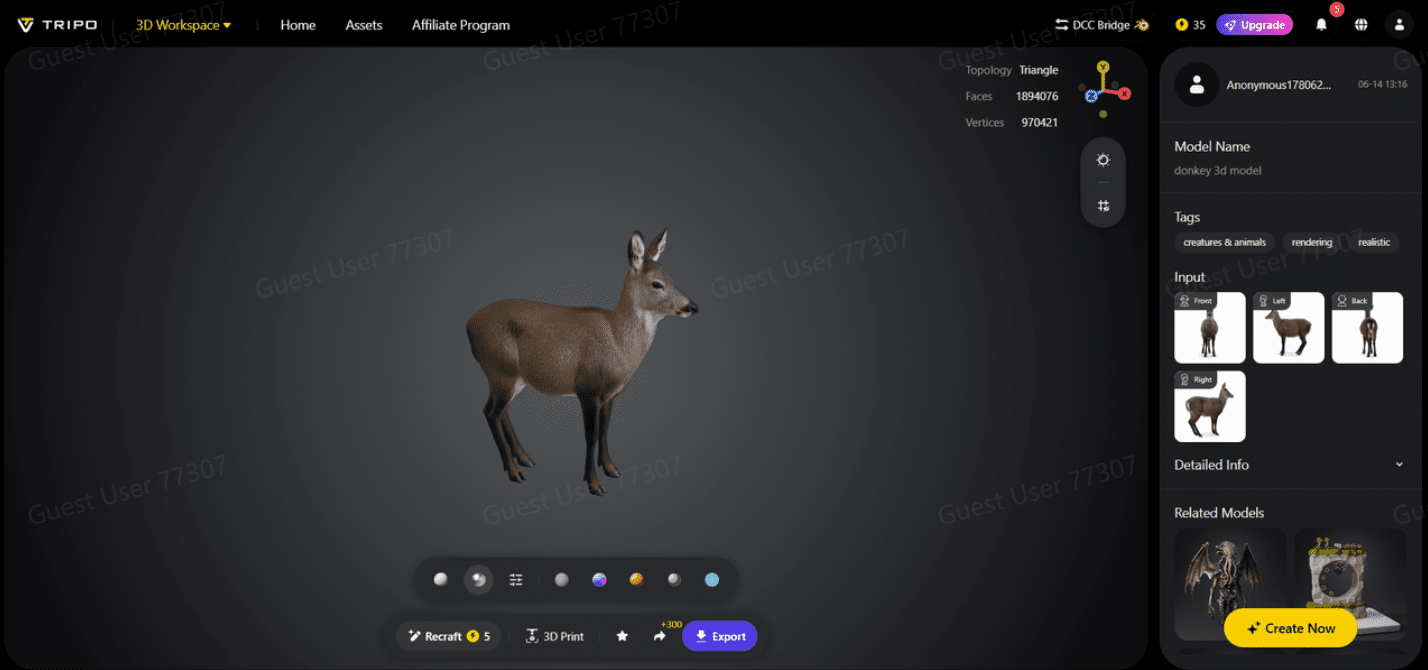
Tripo 3D allows you to completely view your model in the style you want. Key styles include “Solid View”, “Cartoon Style”, “Sketch Style”, “Hologram Style”, and “Unlit” form. You can also “Refine” your design right through the bottom menu.
-
You can also edit the “Environment Settings” and camera settings through “Reset Camera”.
-
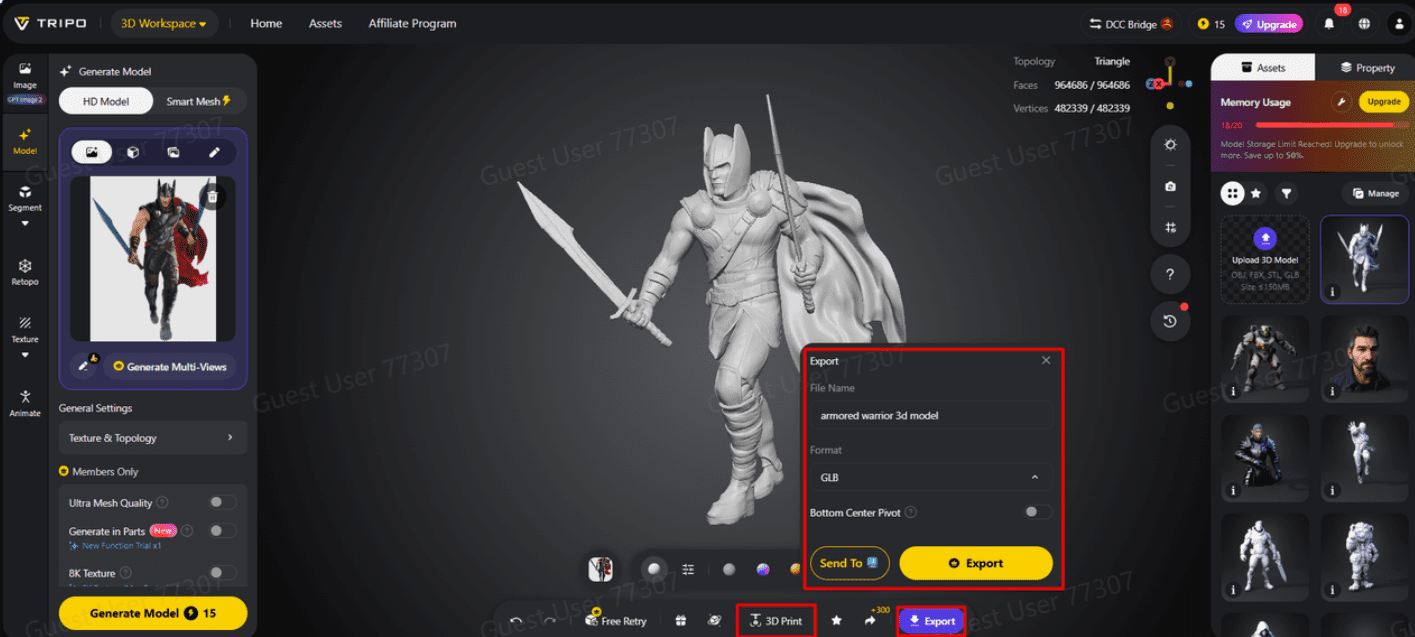
You can 3D print the design you want, or you can share it directly by clicking “3D Print”.
-
In the end, click on the “Export” tab from the bottom menu. Next, choose the resolution, format, and filename, and click again on “Export” to save the design to your local device.
Export Formats That Support Game Development Workflows
Export flexibility is an important factor in asset integration. FBX is still very popular for character assets, environments, and animation workflows. OBJ has wide support for most modeling applications and visualization tools. STL is used for specific modeling and fabrication needs. Creators can select formats based on project objectives using Tripo 3D. Different export options may be appropriate depending on the intended asset use. FBX support is often used for character models, and OBJ is good for static objects. The platform also supports projects that use reference libraries, custom assets, or free 3d models within broader workflows.
Key Export Features That Improve Engine Compatibility
Several export features contribute to smoother integration across development environments:
-
Structured Geometry – Exports geometry in organized layouts that support later modifications.
-
Flexible Topology Options – Quad and triangle configurations to suit project needs.
-
Multiple Texture Resolutions – Supports control over texture configuration settings.
-
PBR Material Support – Supports realistic surface properties for flexible material workflows.
-
Polycount Settings – Polycount settings can be controlled.
-
Multiple Export Choices – Allow assets to move between software applications through different file formats.
Preparing Assets Before Exporting from Tripo 3D
Preparing assets helps maintain consistency across different development stages. Before exporting, be aware of the mesh structure. Organized topology can support future editing and optimization tasks. Evaluate texture quality alternatives for platforms. Select a topology that is appropriate to the project objectives and the requirements of the engine. Review scale relationships to improve visual consistency among assets. Review materials and surface features prior to final export. These checks help confirm that assets remain usable and suitable for larger development pipelines.
Managing Asset Organization Across Development Pipelines
Effective asset management facilitates collaboration and project maintenance. Naming conventions make it easier to identify and retrieve files. Structured folders help teams navigate expanding asset libraries. Tracking asset changes helps reduce confusion during development. Multiple export versions may target different optimizations or platform requirements. Version tracking is useful for teams when changes are made. Tripo 3D exports can support collaborative workflows, allowing artists, designers, and technical teams to share resources efficiently.
Advantages of Using Tripo 3D Export Options for Game Projects
Tripo 3D can help streamline asset preparation based on image references. The platform automates structured geometry creation, reducing the need for manual reconstruction. The platform supports photographs, sketches, illustrations, and concept art, expanding creative possibilities. Multi-view processing can improve structural completeness for complex subjects. Export options support asset transfer between creative applications with fewer workflow interruptions. With editable geometry, texture controls, topology options, and format flexibility, Tripo 3D can support various asset creation requirements.
Conclusion
Game engine-compatible export is an important aspect of efficient asset integration. Tripo 3D provides image-based model generation with flexible export options for different workflows. The platform converts flat references into structured, editable assets suitable for different workflows. Selecting appropriate formats, topology, textures, and materials remains important for successful integration. With careful planning and export settings, visual references can be transformed into usable 3D assets for modern game development workflows.