A property tour can look expensive and still fail in the first three seconds. The room may widen unnaturally, a window may move, or the viewer may lose the route from the entrance to the kitchen. For agents testing Seedance 3.0 workflows, the useful question is not how much spectacle the model can add. It is whether the generated motion protects the facts a buyer needs.
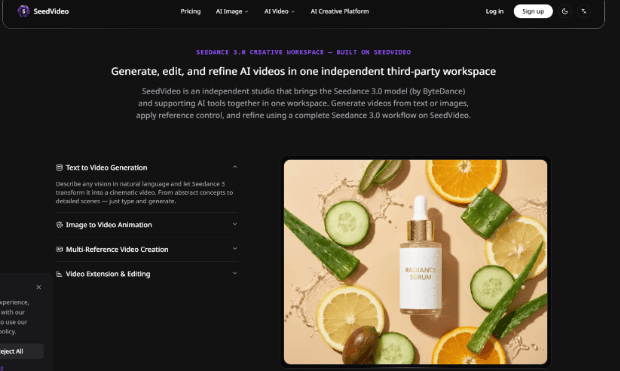
SeedVideo supports Image to Video alongside Text to Video and Video to Video. That gives a property marketer several starting points, but the starting asset still controls the quality of the claim. A clean room still can support a gentle camera move. It cannot give the model a real floor plan, a missing window, or permission to invent a second hallway. The Seedance 3.0 AI Video Generator workflow should begin with that distinction.
Start With The Buyer’s Route Through The Room
Choose one route before writing a prompt. The viewer might enter from the front door, move toward the window, and finish on the feature that makes the room valuable. The route gives the clip a job. Without it, a generator may create a pleasant pan that hides the relation between spaces.
Mark the fixed facts in the source image: door position, window count, stair direction, fireplace, island, and visible boundaries. The prompt should describe movement and atmosphere around those facts. It should not ask the model to redesign the room while the camera travels through it.
Use Image To Video For Controlled Motion
Image to Video is the natural first mode when the listing already has a strong still. The still carries the room’s layout and materials. The prompt can request a slow push-in, a controlled pan, or a slight shift of light. Keep the move simple enough that a reviewer can compare the beginning and end against the original.
Protect Geometry Before Adding Visual Atmosphere
A warm sunrise or a cinematic lens effect may improve mood, but neither should outrank geometry. If the island becomes longer as the camera moves, the clip can mislead a buyer. If a window slides across the wall, the result needs a discard, not another color grade. Inspect corners, doors, shelving, and repeated lines because those are the first places a synthetic move exposes itself.
Keep The Prompt About One Camera Move
Ask for one motion with one ending. “Slowly move toward the bay window and stop with the garden centered” gives the model a path and a destination. Adding a dolly, orbit, crane, rack focus, weather change, and furniture transformation creates several competing instructions. When the result fails, the agent cannot tell which request caused it.
Make The Review Match The Listing Page
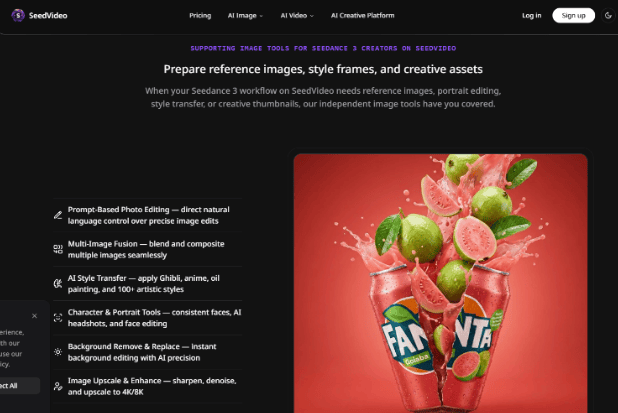
SeedVideo’s AI video page frames production around scripts, images, existing clips, and publishable short-video settings. Use that idea at the point of review. Put the clip in the same vertical or landscape container the listing will use. A move that looks balanced in a full-screen player may crop the kitchen island or the final callout inside a social card. The workflow is worth considering only after the frame passes that factual check.
| Review point | Pass signal | Discard signal |
| Room identity | Doors, windows, and major lines stay in place | Geometry bends or duplicates |
| Camera route | The viewer understands where the camera travels | The move turns into a floating sweep |
| Property claim | The clip shows a real feature from the still | The model adds a feature that is not present |
| Delivery crop | The important feature remains visible in the intended frame | The crop removes the reason to watch |
Do this check before adding music or captions. Sound can make a weak tour feel finished, and a caption can distract from a missing wall. The agent needs to approve the visual claim first. If the first preview looked fine but the island warped against the source still, I would delete it before paying for a longer export. That prevents a second round of credits from hiding the first round’s mistake.
Check The Crop Before Calling It A Property Tour
A property clip earns its place when the intended mobile or listing crop keeps the room’s key feature visible. If the frame edge cuts the window or makes the route unclear, the clip creates a return visit and a re-edit instead of a useful lead.
Use Text For Atmosphere, Not Property Facts
Text generation can add a transition or mood beat when the scene does not carry a factual claim. Keep that boundary visible in the edit. The audience should know which frames show the real listing and which frames provide context.
Use Text Only When The Scene Is Disposable
Text to Video can help create an opening atmosphere, a neighborhood transition, or a generic lifestyle cutaway. It deserves caution when the clip represents a specific property. A text prompt can describe a bright kitchen, but it does not prove that the generated kitchen belongs to the listing.
Video to Video can be useful when an existing walk-through has the right route but needs a different visual treatment. The same rule applies: keep the edit subordinate to the factual path. If the restyled version changes the apparent layout, return to the source clip or use a simpler treatment.
Credit Planning Belongs After Geometry Review
The SeedVideo homepage shows a 5-second, 720P, 16:9 example at 30 credits. If the render fails the geometry check, stop before a longer export burns more credits. Use short, lower-cost tests while checking the route and geometry. Save higher resolution or audio-enabled output for a version that already shows the right room. Spending on finish before accuracy turns an easy discard into a costly one. A simple test protocol is enough: compare the first and last frame, inspect the corners, then check the intended crop on a phone-sized preview.
The route review also protects the agent’s words. If the listing says “walk into the open kitchen,” the clip should show a route that supports that sentence. If the generated camera floats through a wall or reveals a room that the still never contained, the problem is factual, not cosmetic. Mark the clip for rework before it reaches a listing editor.
Use the same review on every room, but do not force every room into the same motion. A narrow hallway may need a static reveal. A large living room may tolerate a slow push. The goal is a believable relationship between the still and the movement, not a collection of identical camera tricks.
The most useful output may be the one that tells the agent to stop. A clean rejection protects the listing from an invented feature and keeps the marketing team from building a story around a false room. That is a real production result, even though it never becomes a published video.
A clean route also makes the listing easier to edit. The agent can choose a cut point, a caption, or a still frame without guessing which part of the room is real. That is the difference between motion that decorates a listing and motion that supports it.
Keep The Tour Honest At The Frame Edge
SeedVideo can shorten the distance between a still image and a watchable property clip, but it cannot verify the property. The agent must compare the output with the source, remove invented features, and approve the final crop. That discipline makes a modest camera move more valuable than a spectacular tour that changes the room.