Deciding between custom visual assets and pre-made libraries is a constant friction point in product design. Commissioning an in-house illustrator guarantees a unique brand identity but requires significant budget and time. Relying on stock libraries saves money but often results in a fragmented interface where the login screen looks completely disconnected from the checkout flow.
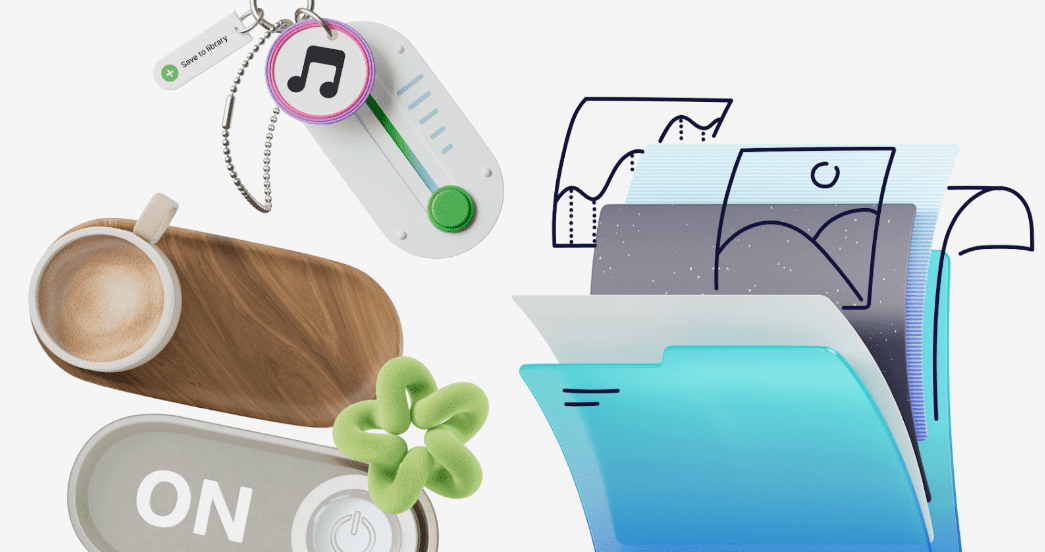
Ouch by Icons8 attempts to solve this exact problem. The platform provides a massive library of vector, 3D, and animated illustrations built specifically to maintain consistency across entire user experience flows. After spending time integrating these assets into real projects, the answer to whether an off-the-shelf library can support a coherent brand system is a definitive yes, provided you use a platform structured around design systems rather than random asset dumps.
Orchestrating a Complete Product Redesign
Building a comprehensive web application requires dozens of visual touchpoints. A lead UI designer tasked with overhauling an e-commerce platform needs assets for the onboarding sequence, empty states, shopping cart, payment confirmation, and error pages.
The designer starts by filtering the Ouch library to find a specific look among the 101 available illustration styles. They select a minimal monochrome vector style that aligns with the corporate aesthetic. Because Ouch structures its library around consistent UX coverage, the designer easily locates matching graphics for the “add-to-cart” action, a “404 page” lost state, and a successful “checkout” confirmation.
Working on a paid Pro plan, the designer downloads the raw SVG files. They open the vectors in their design software, select the layered objects, and recolor the primary accents to match the brand’s exact hex codes. The result is a fully customized, brand-ready illustration system deployed across the entire application in a single afternoon.
Scaling Content for Marketing Campaigns
Marketing teams face a different set of challenges. A content manager needs to produce a steady stream of blog headers, newsletter graphics, and social media posts. The visual language must remain consistent across all channels to build brand recognition.
The manager logs into Mega Creator, the free online editor provided by Icons8. They select a base scene from one of the 15 trendy styles available in Ouch. Instead of accepting the static scene, they use the searchable object feature to swap out specific elements. They remove a generic background building and replace it with a tagged tech object that better fits their software product. They rearrange the characters, export the final composition as a high-res PNG, and upload it to the company blog. The next week, they return to the exact same style category to build a matching graphic for an email campaign.
A Typical Morning Sync and Asset Hunt
Frontend developer Vance gets a message during the morning standup. The team just pushed a new feature, but the dashboard looks completely bare when a new user first logs in. They need a friendly empty state illustration immediately before the traffic spike at noon.
Vance does not have time to wait for a design handoff. He opens the Pichon desktop app on his machine. He executes the following workflow:
- Filters the library by the specific 3D style the team selected last month
- Types “waiting” into the search bar to locate an appropriate graphic
- Drags the resulting FBX file directly into his workspace to render the empty state
Because the team operates on the free tier for this specific project, Vance grabs the Icons8 attribution link and pastes it into the footer of the application. He commits the code, pushes the update to production, and resolves the issue in less than ten minutes.
Customizing and Organizing Your clipart Library
The core strength of Ouch lies in the construction of the files. The graphics are not flattened images. They are layered vector graphics broken down into tagged, searchable objects. You can pull apart a complex office scene to extract a single coffee cup or a specific desk chair.
This modularity extends to animation and 3D work. Ouch supports a wide variety of formats for different technical requirements:
- Lottie JSON and Rive for lightweight web animations
- After Effects projects for editable motion graphics
- MOV files for pre-rendered 3D animations
- FBX formats for 3D models crafted by professionals
This technical depth allows a development team to implement complex interactive elements without hiring a dedicated motion designer. You simply download the Rive file, drop it into your frontend framework, and trigger the animation on a button hover state.
How Ouch Compares to Other Illustration Libraries
Freepik offers an overwhelming volume of files, but the quality and styling vary wildly depending on the contributor. Stitching together a cohesive user journey using Freepik requires hours of manual tweaking to make different artists’ work look related. Ouch bypasses this by enforcing strict style guidelines across its library.
unDraw is a staple in the web design community for its simple, recolorable vectors. It lacks depth. Ouch provides significantly more variety, including 44 distinct 3D styles and complex animated options that unDraw simply does not offer.
Blush excels at character building and allows users to mix and match heads, torsos, and legs. Blush is highly focused on people. Ouch provides a much broader range of categories including web elements, healthcare, nature, and technology objects, making it far more practical for building out complex software interfaces.
Limitations and when this tool is not the best choice
Ouch is not a perfect fit for every project. If your company requires a highly specific, proprietary brand mascot that must appear in unique, hyper-specific scenarios, an off-the-shelf library will frustrate you. You cannot force pre-made characters to hold your specific physical product.
The free tier is highly restrictive for professional environments. Free users are limited to PNG formats and must include a visible link back to Icons8. This attribution requirement is often a dealbreaker for client work or premium SaaS products. You must upgrade to a paid plan to access SVG files and remove the attribution requirement.
Licensing rules present another hard stop for certain businesses. If you plan to use these illustrations for merchandise or print-on-demand products like t-shirts or mugs, the standard Pro subscription does not cover you. You must contact their sales team to negotiate a custom licensing agreement.
Practical Tips for Getting the Most Out of Ouch
Treat the Pichon desktop app as your primary interface. Relying on the web browser slows down the design process. The desktop app allows you to drag and drop assets directly into Figma, Sketch, or your code editor, bridging the gap between asset discovery and implementation.
Do not ignore the AI Illustration Generator. If you find a style you love but need a very specific object that does not exist in the 28,000+ business illustrations, the generator can output new assets that match your chosen Ouch style perfectly.
Manage your subscription strategically. Icons8 allows unused downloads to roll over to the next billing period. If you have a slow month with no active design projects, let the credits accumulate. You can then use that banked quota to download heavy, premium assets like After Effects projects or complex 3D FBX models when a major redesign kicks off.