
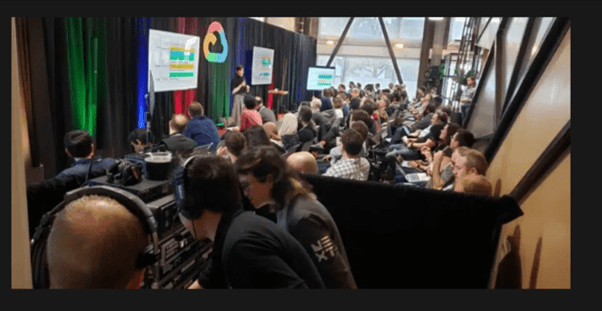
Planning a video helps you create clear and professional content. A solid plan keeps everything on track. It keeps your ideas in order. You can save time and avoid mistakes. From script to editing, each step is smoother when you plan early.
Introduction
Making a video is more than pressing the record button. It needs a plan. Videos are used for work, school, or fun. But without a plan, you may miss key ideas. Planning helps you stay organized. It makes each step easier.
This blog shows you how to plan a video. You’ll learn simple steps. With these tips, you can boost your video quality and viewer interest.
15 Easy Steps to Plan a Video Production
Video planning is simple if you know what to do. These 15 steps will guide you. Keep things in order and make a video that feels smooth and looks professional.
-
Know Your Video Goal
Your first step is to set a goal. Do you want to share a story, teach something, or boost sales? This decision shapes the rest of your video. It guides the style and message.
Without a clear goal, your content may confuse viewers. Planning ahead gives your video meaning. A clear goal keeps your video focused. It works for both personal and business videos.
-
Understand Your Audience
Start with your goal. Then think about the viewer. Your audience helps you decide the message, visuals, and mood of the video. Are they young or professional? Do they watch on a phone or computer?
When you understand them, your video fits their needs. This makes it feel personal. It also keeps them watching. Audience insights lead to better engagement.
-
Set a Budget
Always plan your budget early. It helps you spend wisely. Start by setting a limit. Include costs like editing, camera, and music. Don’t forget the people you can hire. You can make quality videos with free tools.
A budget helps prevent sudden costs. It keeps your project on track. When you plan right, you save time and money. So, keep it simple and deliver quality.
-
Write the Script
The script sets the tone for your video. It tells the message step by step. Don’t make your words hard. Your audience should understand without any confusion. Match the script to your video goal.
Short sentences work best. Practice it before filming. This helps you speak naturally. A good script keeps viewers interested and makes your message strong.
-
Create a Storyboard
A storyboard is a simple visual plan for your video. It shows each scene in order and matches the script. Simple images or stick figures are enough. You don’t need art skills.
It’s just to help you plan your video scenes before starting. It also guides your team and saves time. Using a storyboard keeps the process clear and reduces confusion during the shoot.
-
Pick the Right Location
Your filming spot affects how your video feels. Use a location that fits your content. Choose a quiet area. Lighting should be natural or bright. For indoor shoots, keep things tidy.
For outdoor ones, plan around sunlight and weather. Always visit the location before shooting. This helps avoid surprises. A good location makes your video look better and supports your message clearly.
-
Make a Shot List
A shot list acts like a film map. It tells you what scenes to shoot and from where. You include close-ups, wide angles, and tracking shots. It helps plan every step. Your crew and actors get clear direction.
It avoids delays on set. Shoots become smooth and fast. Everyone works better with clear steps. A strong shot list brings order to filming. It saves both time and energy.
-
Gather Your Equipment
Before you film, gather and check your camera, mic, lights, and stand. Charge every battery. Format your memory cards. Test rented items in advance. Don’t forget extra batteries and spare cables.
Organize your tools neatly. Being ready reduces stress on set. Good equipment gives you better results. Stay relaxed and ready. A good plan keeps things smooth.
-
Assign Team Roles
After speaking with a video production agency in San Francisco called Argus HD, we discovered that certain roles are essential when planning a video production.
Businesses with more complex projects may also benefit from professional video production services that support the process from planning and filming through post-production.
Always assign roles to your team. Let everyone know their part. You may need a director, a camera person, and some actors. Give out the script in advance. Discuss the plan before shooting starts.
Clear tasks help avoid confusion. Teamwork becomes easier. Even short videos run better with structure. When everyone knows their job, things move faster with less stress.
-
Rehearse Before Shooting
A quick practice before the actual shoot helps a lot. Actors can get used to their lines and movements. The crew can check lighting and sound. Don’t skip rehearsals before filming. They help everyone get comfortable.
Mistakes can be fixed early. Confidence grows. Shooting goes faster. The final video looks clean. Good prep makes editing easy and saves time in post-production.
-
Start Filming
Now it’s time to record. Use your script as your path. Let the storyboard lead. Stay calm and clear. Check each shot after filming it. If something looks or sounds wrong, record it again.
Take more shots than you think you need. This gives you more choices during editing. Be patient while filming. When you plan well, things feel simple and smooth.
-
Edit Your Video
Editing brings everything together. Start by cutting mistakes and boring parts. Use editing tools like Final Cut Pro or iMovie. Add music and text. Place your logo for branding.
Keep your video clean, clear, and exciting. Subtitles can help viewers understand better. Use colors and music that match your brand or message. Good editing makes your video look clean and professional.
-
Add Branding and Call-to-Action
Your video should show who you are. Keep your video simple and clean. Your name, website, or logo should be seen clearly. Place it smartly. Always finish with a call to action.
Ask people to follow, check your site, or contact you. This last message is key. A strong CTA boosts engagement and turns viewers into real brand followers.
-
Share Your Video Everywhere
When your video is ready, share it online. Choose platforms like Facebook, YouTube, or Instagram. Add a catchy title. Use tags and keywords. These help with search.
Include the video in emails or on your website. Ask friends or team members to share it. The more people share it, the more views and success you’ll get.
-
Track the Performance
Once shared, monitor your video’s results. Use tools such as Google Analytics or YouTube Insights. Check for likes, views, and shares. Read the comments too.
This feedback tells you what worked. It also shows what needs fixing. Smart creators use this data. It helps in making better videos every time.
Conclusion
Video planning sounds tough, but it’s simple when done step by step. Start with your message. Then plan the visuals. Keep your script clear. Film with purpose. Edit with care. Share when ready. A solid plan saves time.
It makes your video look better. It also helps you connect with people. Follow this process for each video. Start small. Grow with practice. You’ll build your brand with strong content soon.
FAQs
What audience are you targeting?
The people you want to reach are your audience. Know what they like and how old they are.
How long should a video be?
Keep videos between 1 and 3 minutes long. This length makes them work better.
What tools do you need to get started?
You need lighting, a camera, a microphone, and a tripod. Keep additional batteries and storage on hand.
How many takes should I do per shot?
Do at least 2–3 takes. This gives you better choices during editing.
How do I track video performance?
Use tools like YouTube Analytics or Facebook Insights. Check views, likes, and watch time.