
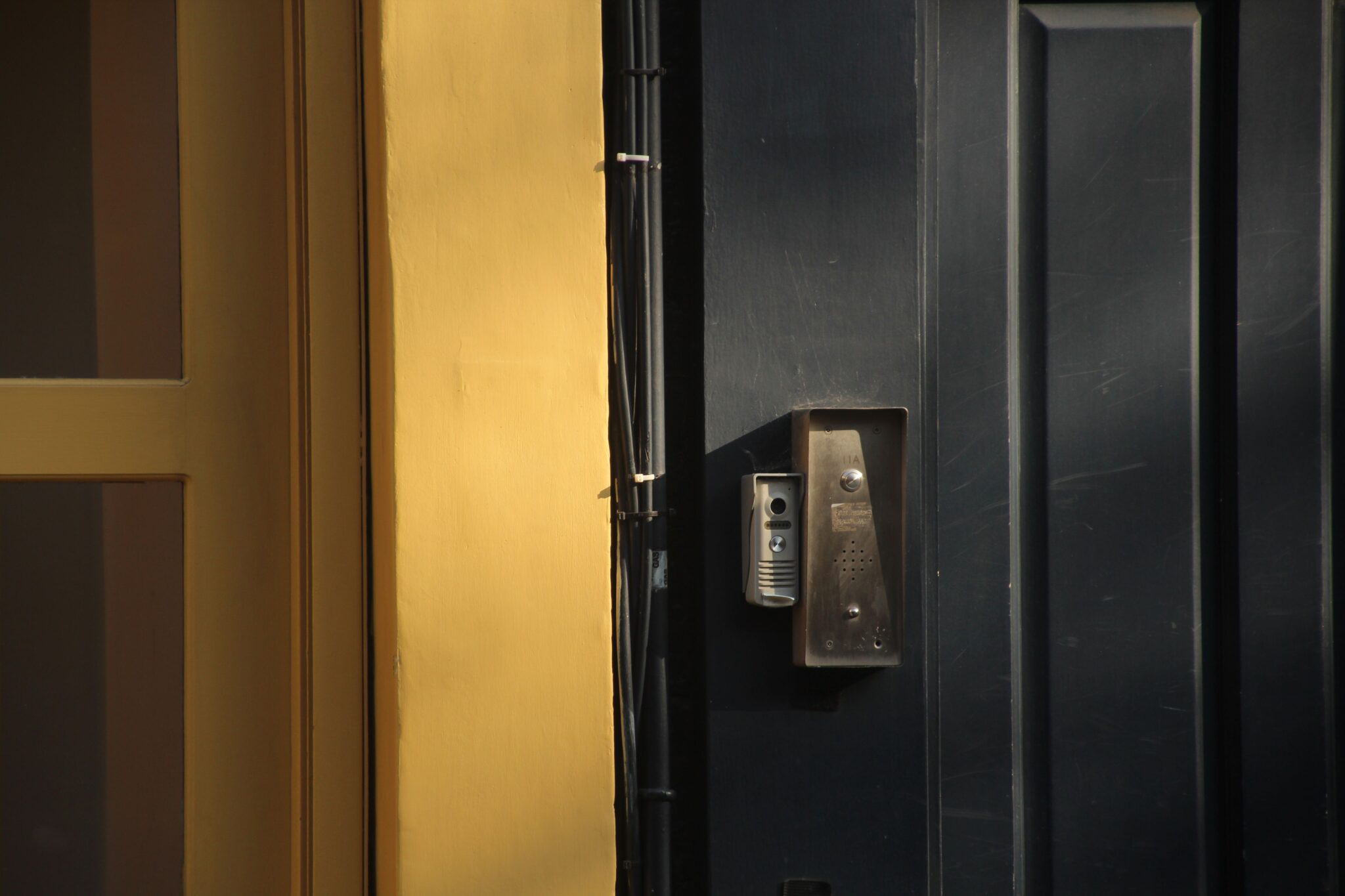
You remove the old doorbell and find nothing behind it but painted trim. Or perhaps your entrance never had a button in the first place. Neither situation rules out a video doorbell. If your door has no usable low-voltage circuit, a wireless video doorbell is usually the simpler answer because you do not need to run a new cable through brick, siding, or a finished wall.
Existing wiring still comes out ahead when it is in good shape and matches your chosen model’s exact power requirements. Hardwiring cuts down on routine charging and unlocks recording features that draw too much power for battery-only operation. Starting with what your home can support keeps a simple doorbell upgrade from turning into an unplanned electrical project.
Alt: Wireless video doorbell mounted beside a front door with no existing doorbell wires or transformer
File name: wireless-video-doorbell-unwired-front-door.png
Let the Door Decide Before the Feature List Does
Most people jump straight to resolution and smart alerts, but the wall beside your door matters more. Homes usually fall into one of three wiring scenarios. This quick check keeps you from signing up for an electrical project you did not plan for.
| What you find at the door | Your better starting point | What to check before buying |
| No old doorbell wire or transformer | Battery-powered wireless installation | Mounting permission, Wi-Fi signal at the door, indoor ringing plan, charging access, and weather limits |
| A mechanical chime, but voltage or transformer capacity is too low | Battery mode, unless a qualified person upgrades the circuit | Exact model requirement, transformer label, wire condition, chime compatibility, and the cost of an upgrade |
| Intact wiring with the required voltage and capacity | Hardwired mode for lower routine maintenance | Model-specific voltage and VA rating, chime or bypass instructions, wire length, and safe shutoff access |
An old mechanical chime is the biggest gray area. A working ring only means the old bell gets enough power, not that the transformer can also handle a camera, Wi-Fi radio, and recording features. If voltage or VA capacity falls short, or you cannot confirm the specs, battery mode is the safer starting point. You can always upgrade the circuit later with a licensed technician.
Reuse Existing Wires Only When They Earn the Job
Old low-voltage wiring can save you ongoing hassle, but only if the full circuit is up to spec. Start with the transformer label and match its voltage and VA capacity against the product page requirements. Transformers turn up in all kinds of spots — near the indoor chime, in a utility closet, attic, basement, or even the garage. A quick voltage read at the door alone will not tell you full VA capacity. This is the step most people skip, and it often causes issues later.
Take a quick look at exposed wiring by the door frame too. Cracked insulation, corroded terminals, short wire leads, or loose splices can turn a simple device swap into a wiring repair. Exposed or damaged wiring can present shock and fire risks. Do not open line-voltage equipment to investigate a doorbell transformer yourself; ask a qualified electrician to inspect uncertain or deteriorated wiring.
[Source: UL Solutions, 8 Signs You May Have a Problem with Your Electrical Wiring] [Source: U.S. Consumer Product Safety Commission, Electrical Safety]
Mechanical chimes add another tradeoff to weigh out. Your hybrid doorbell may work with an existing mechanical chime during ordinary event recording but require you to bypass that chime for a higher-power mode. In practical terms, you may gain continuous recording while your hallway loses its familiar ring. Plan a compatible indoor ringer before making that trade.
Plan for Battery Life Without Believing a Fixed Day Count
Battery estimates are a little like gas-mileage figures. They help you compare models, but real-world runtime shifts based on how and where you use the doorbell. Plan for weeks to months between charges, not a set number of guaranteed days. A low-traffic side door will run far longer than a busy front entrance with constant foot traffic.
Ease of access matters just as much as raw runtime. Swapping a battery at chest height is straightforward; climbing a ladder every few weeks for a high side entrance adds hassle that adds up over time. If regular charging would be inconvenient, a one-time wiring upgrade may offer better long-term value.
What Shortens Time Between Charges
Most people underestimate how many small things drain the battery. Motion alerts, doorbell presses, live view sessions, two-way talk, night vision, weak Wi-Fi, and high quality settings all pull extra power. Cold temperatures also temporarily cut into capacity. It is not unusual for a busy front porch to see battery life drop noticeably in the middle of winter, even with no change to settings.
Use the first charge cycle as a household measurement. If passing cars or branches trigger most clips, adjust the activity zone or sensitivity without cutting out the approach to your door. Watch another full cycle, then set a reminder before charging becomes urgent. Recheck the pattern when winter arrives or household traffic changes.
Plan for Downtime and Recording
A removable pack makes charging easier. Keep an approved spare indoors, exchange the packs, and recharge the depleted one over USB-C. The doorbell is briefly offline while no battery is installed, so this is a quick swap rather than true hot swapping.
Recording expectations belong in this decision. Event recording wakes the doorbell when motion is detected or the button is pressed, which fits battery use more naturally. Continuous recording keeps the camera working for much longer periods and generally needs a supported wired configuration. If you mainly want to review visitors and deliveries, battery power may cover the job. If you need the seconds before motion detection or a full-day timeline, check the model’s hardwire requirements before buying.
Once you know whether charging fits your routine, compare wireless video doorbell options by power method, then look at video and detection features.
Alt: eufy wireless video doorbell showing quick-release battery removal and mounting bracket installation for battery-powered setup
File name: wireless-doorbell-quick-release-spare-battery-swap.png
Give the Doorbell an Indoor Voice
Wireless does not mean silent indoors. Phone alerts are easy to miss when your device is charging upstairs, set to silent, or with another family member. Before you mount anything, plan how you will hear when someone is at the door.
Options vary by model. You may use a plug-in chime, a compatible base station, a supported smart speaker, or, in a wired setup, your existing mechanical chime. Supported eufy HomeBase models, such as S280 or S380, may ring indoors when the selected doorbell supports them. Storage and device-management features also vary by generation, so check the exact model rather than assume an older base will work.
Picture an ordinary evening in your home. Could you hear the bell from an upstairs bedroom while the television is on? Does a child, guest, or older relative need an audible ring because they do not use the app? Is the Wi-Fi signal at your closed front door strong enough for live video to open promptly? These small questions reveal more than a long row of smart-home logos.
After installation, press the button and follow the event all the way through. Listen for your indoor ring, check the phone alert, and play back the saved clip. A working live view is only one part of the test. If your mechanical chime buzzes or rings weakly after a wiring change, switch the circuit off and revisit the product instructions.
A Dual-Power Doorbell Can Keep Both Options Open
If you are not sure which direction you will go long-term, a dual-power model removes guesswork. You might rely on battery power for an unwired side door now, and gain proper wiring after a renovation or move. The eufy Video Doorbell C31 supports both setups, with a quick-release 6,500mAh rechargeable battery and a full hardwire option.
Feature count is not the point here. Battery mode skips the need for electrical work and lets you swap in a fully charged spare while the depleted pack recharges via USB-C. Hardwiring unlocks C31’s 5-second pre-recording and 24/7 continuous recording, though these advanced recording modes rely on a chime bypass and matching wired power hardware.
That bypass changes the indoor ringing plan. Depending on the setup, C31 can pair with eufy HomeBase3, MiniBase Chime, Alexa devices, and Google Assistant. Check the exact hardware and current instructions before buying, especially when you hope to reuse equipment already at home.
C31 answers the power question covered here. If seeing packages at the foot of the door calls for a second downward-facing camera, compare our dual-camera models separately. Camera coverage is a different decision from battery versus wiring.
Build a Setup That Still Works After the First Month
Your first week will expose things that a product page cannot. Check Wi-Fi with the front door closed, listen for the indoor ring from the rooms you actually use, and make sure you can play back a saved event. For a battery setup, wait until the first charge cycle reveals your home’s pattern before choosing a reminder date.
You may tweak motion filters to ignore irrelevant street activity while capturing people at your entrance. Keep the app and device firmware current, and export any clip you need before local storage overwrites it.
Look at your live view in daylight and after dark before tightening the mount for good. Porch lights, reflective siding, storm-door glass, and a deep frame can all spoil an otherwise sensible angle. Wireless gives you flexibility, but your doorway still determines where the camera works best.
Conclusion
Wireless battery doorbells work best for homes without a usable transformer, costly wiring renovations, or rental spaces with modification restrictions. While regular charging will be needed, a spare battery minimizes downtime, and paired chimes or smart speakers deliver indoor audio alerts.
Functional intact wiring shifts the decision. Circuits matching the doorbell’s voltage and VA specs cut charging work and unlock advanced recording modes. Always assess your wiring and alert setup before comparing device specs. Real-world battery life and Wi-Fi performance may differ from published estimates because traffic, settings, temperature, and signal strength vary by home.