

You know the ritual: you open the Excel “master” file, copy yesterday’s orders, and hope the formulas still add up. That stopgap drains cash as soon as order volume hits triple digits. A 2026 survey found that 85 percent of inventory teams still rely on spreadsheets, yet only 11 percent have the AI they want. This guide compares seven inventory systems built for businesses graduating from spreadsheets, reveals real 2026 pricing, and outlines the migration work each platform requires, so you can swap nightly reconciliations for real-time stock clarity.
How we selected and ranked the tools
We kept three hard gates. A product had to:
- Act as the inventory source of truth. Forecast-only plug-ins sat on the bench.
- Publish real pricing. If the price hides behind a demo form, you can’t model year-two cost.
- Offer at least two live-ops essentials: purchase orders, barcode workflows, multi-location stock, mainstream ecommerce or accounting integrations, or light assembly support.
The survivors were scored against six weighted criteria:
| Criterion | Weight |
| Cost vs. useful capability | 22 percent |
| Spreadsheet migration and onboarding | 18 percent |
| Core operational depth | 20 percent |
| Scalability and integrations | 15 percent |
| AI and automation depth | 10 percent |
| Decision confidence (public proof) | 15 percent |
About those AI badges
Every tool earns one of four labels:
- Native, included
- Native, plan-gated
- Third-party integration
- Not verified
Best-fit snapshot: see the seven options side by side
| Tool | Best for | Cheapest paid tier* | Minimum practical tier* | Trial / Free | Barcode support† | AI label‡ |
| Organizely | Lean Shopify | $26/mo | Pro $99/mo | 14-day trial | Bin locations | Native, plan-gated |
| Zoho Inventory | Low-cost generalist | $39/mo | Premium $99/mo | 14-day trial + free tier (50 orders) | ✔ | Native, included |
| Sortly | Visual mobile tracker | $49/mo | Ultra $149/mo | 14-day trial + free tier (100 items) | ✔ (at Ultra) | No verified AI |
| inFlow | Wholesale / B2B | $186/mo | Entrepreneur $186/mo | 14-day trial | ✔ | Third-party add-on (StockTrim) |
| Katana | Light manufacturing | $299/mo | Core $299/mo | 15-day full access | ✔ | Native, included |
| Cin7 Core | Complex multichannel | $349/mo | Standard $349/mo | 14-day trial | ✔ | Native add-on |
| Fishbowl | QB-centric warehouse | $229/mo | Growth $429/mo | Demo-led | ✔ | Native, plan-gated |
*Regular monthly price when billed month to month; promotional rates and required annual prepay are called out in each review.
†Barcode may be plan-gated; confirm tier details during trial.
‡AI labels: Native + included, Native + plan-gated, Third-party add-on, No verified AI.
Organizely: best for lean Shopify teams
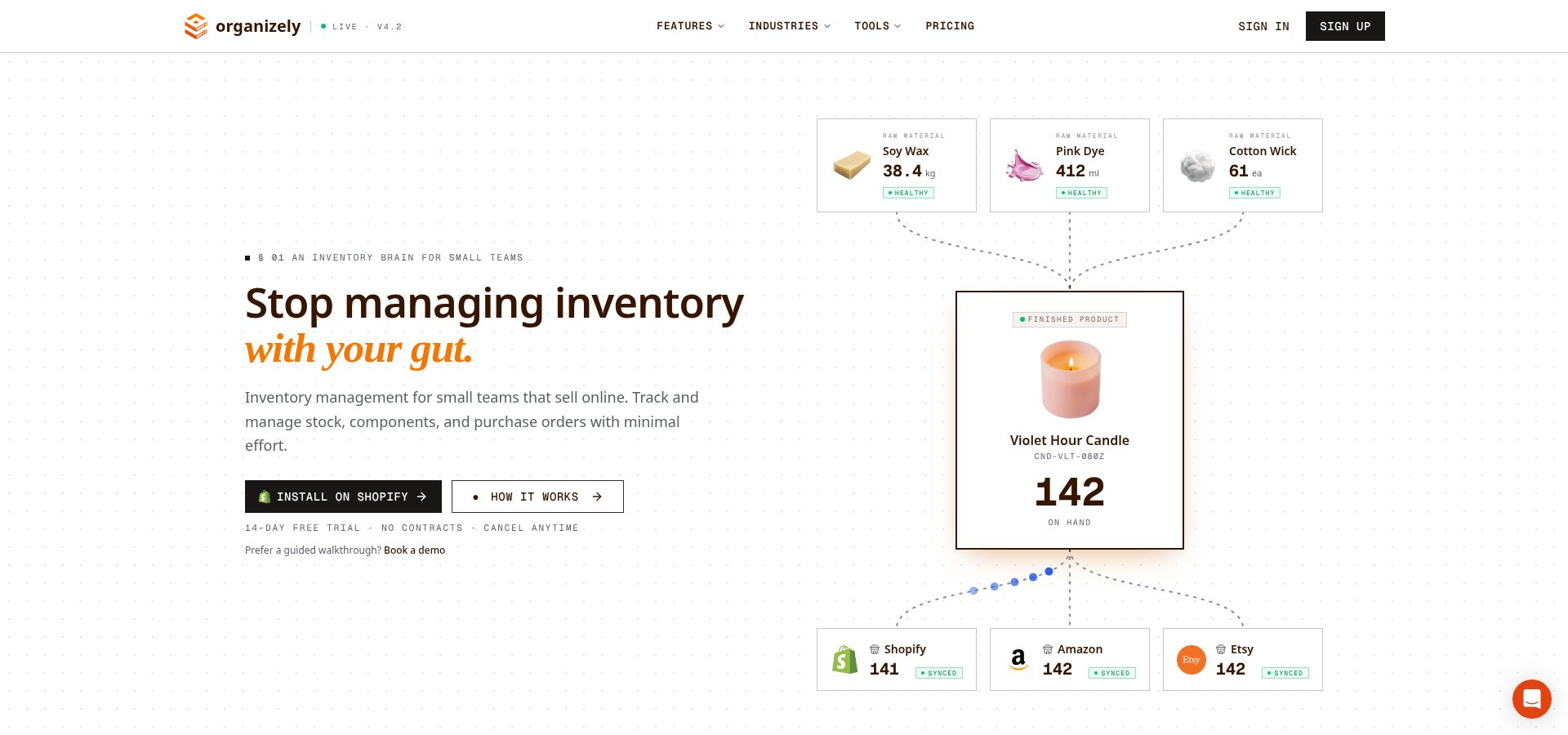
The forecasting engine inside Organizely inventory forecasting software watches sales velocity and supplier lead times, then tells you what to reorder and when. Shopify orders sync in real time, and stocktakes count against committed and reserved stock, not only on-hand units, so you always know which number is real. Unlike Stocky, which required Shopify POS Pro, Organizely works on any Shopify plan.
Snapshot
- Regular price: $26/mo (Stocky Plan), $99/mo (Pro = AI + BOM)
- Trial: 14 days (50 percent off for 3 months); Stocky Plan includes 5,000 SKUs and unlimited orders; Pro includes 15,000 SKUs and 2,000 orders per month
- Setup: products and variants arrive through the Shopify sync, so there is no CSV to map
Why it fits
Reorder points fire on stock you can actually sell, purchase orders support partial receiving, and bin-level locations tell the team where each unit sits. A small Shopify team gets purchasing, counting, and forecasting in one app without an ERP.
Pricing reality
Plan for $99/mo from day one. Pro unlocks BOM, work orders, automations, and AI features like Oppy, the push-based AI agent that runs your commerce operations around the clock. Oppy works on an autonomy ladder from L0 to L5; it ships at L2, where it proposes actions for your approval, and levels three and above are opt-in for whitelisted actions.
Migration path
Shopify’s own app Stocky closed on August 31, 2026; Organizely’s connector imports your open and historical POs (with line items, suppliers, dates, and costs), stocktakes as historical records, suppliers with contacts and payment terms, and stock adjustments with reasons. Products and variants come from the Shopify sync.
Proof point (limited)
Pallavi Seth, Warehouse Manager at Kinetic Labs, co-founder Christian Santos’s own store, says she “used to spend half my morning” finding low stock, and that POs, receiving, bin tracking, and forecasting now “all just lives in one place.” Treat this as an early anecdote, not independent validation.
Choose Organizely when Shopify is the primary channel, order volume is climbing toward a few thousand per month, and light assembly is on the horizon, but a six-figure ERP is out of reach.
Zoho Inventory: best low-cost all-rounder
Snapshot
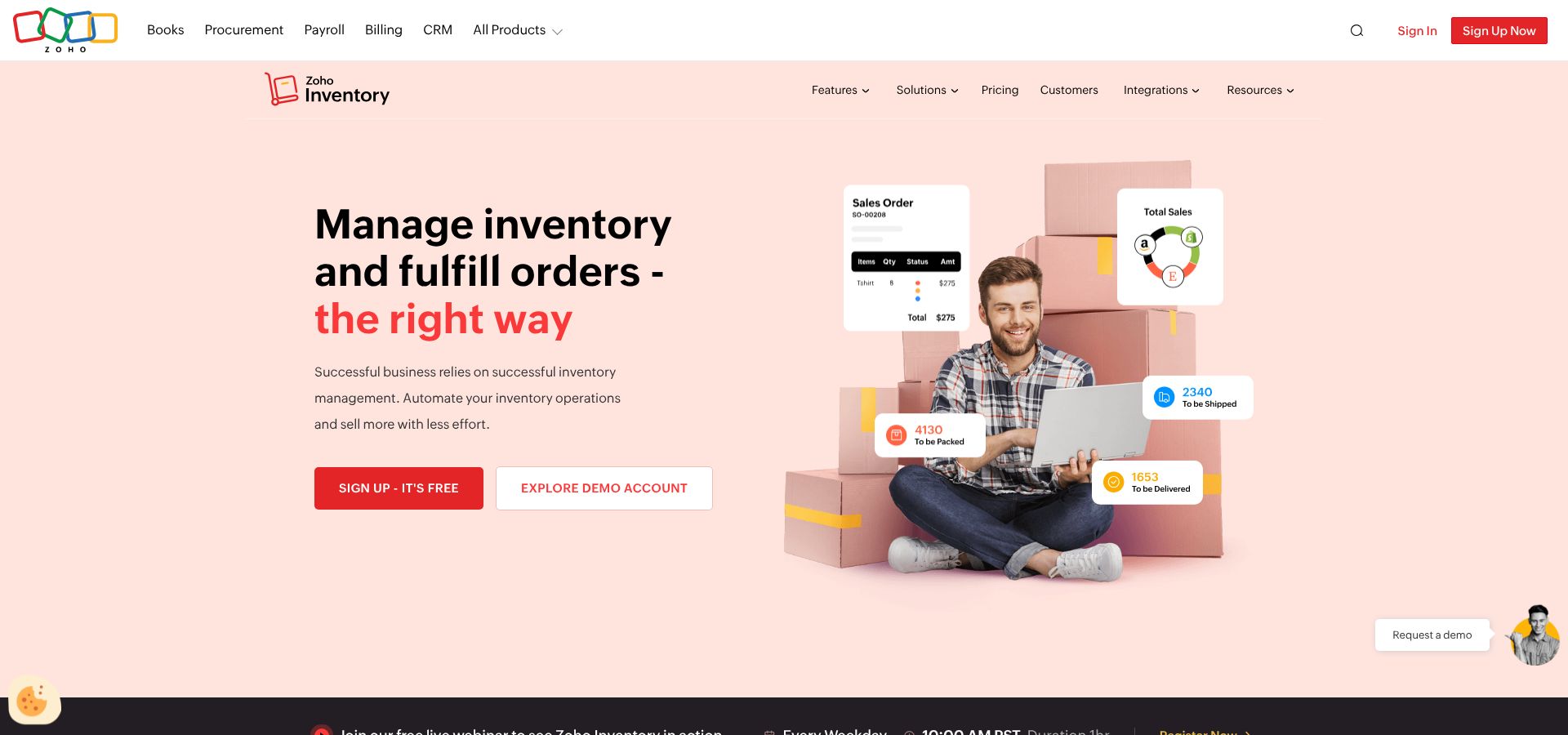
- Free plan: $0/mo • 50 orders, 1 warehouse, 1 user (Zoho Inventory pricing)
- Paid tiers: Standard $39/mo, Premium $99/mo (adds barcode generation and four locations)
- Trial: 14 days; you can downgrade to free if you don’t subscribe
- Built-in AI: Zia predicts sales and suggests reorder points
Why it fits
Starter budgets get purchase orders, multi-location stock, and integrations with Amazon, Shopify, QuickBooks, and 25-plus Zoho apps, all without ERP-level pricing.
Pricing reality
Choose Premium $99/mo if you need barcode labels and full stock counts; Standard omits both. Extra orders, users, or warehouses are sold individually.
Migration path
Import a CSV, map columns once, save the template, or hire Zoho’s Jumpstart team for a flat-fee cleanup, an option rare at this price.
Mind the gaps
Advanced warehousing sits behind a paid add-on, and the interface can feel busy if you sell on only one channel.
Choose Zoho when cash is tighter than complexity, and you prefer to pay for extras only when growth demands them.
Sortly: best for simple mobile and visual transition
Snapshot
- Free plan: 100 items, 1 user
- Ultra: $74/mo promo, $149/mo regular; 2,000 items, 5 users, unlimited barcode labels, and purchase orders
- Trial: 14 days (auto-downgrades to free if you don’t subscribe)
Why it fits
Open the app, snap a photo, tag quantity and bin, and the whole crew sees the update instantly. For field teams, event suppliers, or makers who live on their phones, that beats editing rows in Excel. To migrate, upload a CSV, map columns once, and bulk-attach photos from a ZIP so your catalog mirrors the shelf instead of a plain SKU list.
Pricing reality
Most growing teams land on Ultra. It’s the first tier with purchase orders and full barcode label creation; Advanced lacks both. Plan for the regular $149/mo renewal, not just the first-year promotion.
Trade-offs
Sortly stops short of full order management and manufacturing. Item caps (2,000 on Ultra) and a five-user limit mean larger SKU counts or heavy assembly work belong elsewhere.
Choose Sortly when speed of adoption matters more than deep operational logic. You’ll have the team using it on day one, not next quarter.
inFlow Inventory: best for wholesale and B2B workflows
Snapshot
- Entrepreneur: $186/mo (month to month) • 100 sales orders/mo • 1 location
- Trial: 14 days
- Manufacturing: separate paid add-on
- AI forecasting: none native; optional StockTrim integration
Why it fits
Wholesale runs on purchase orders, negotiated price lists, and pallet-level barcodes, and inFlow handles all three out of the box. Multi-location stock, pick-pack-ship workflows, and a B2B showroom tie quote to delivery into one thread.
Migration and onboarding
Guided CSV templates import SKUs, vendors, customers, open sales, and purchase orders.
Watch the limits
Entrepreneur’s low sticker price covers 100 sales orders per month at one location. Extra seats, API access, serial tracking, or integrations add costs quickly, and manufacturing features require a separate paid add-on.
Proof point
Software Advice rates inFlow 4.6/5 from hundreds of verified small-business reviews, indicating that usability matches the feature list.
Choose inFlow when your business writes more purchase orders than social posts and needs barcode discipline without paying for a six-figure WMS.
Katana: best for light manufacturing and assembly
Snapshot
- Core: $299/mo, unlimited users and SKUs; one location included, extras billed
- Trial: 15 days full access (limited free plan available after)
- AI-assisted import launched August 27, 2026
Why it fits
Manufacturers juggle raw materials, work orders, and batch questions. Katana keeps BOMs beside sales orders, and tablet-ready shop-floor updates replace shout-across-the-room status checks.
Migration and AI import
Drag any CSV or XLSX into Assisted Import. Katana’s AI maps columns, shows confidence scores, and flags errors before they reach the live database.
Daily flow
A sales order reserves finished goods. Katana breaks out required components, flags shortages, and auto-creates POs. Barcode receiving posts quantities in real time, so procurement and production share the same clock.
Know the add-ons
Lot traceability, advanced manufacturing, and WMS modules are paid extras, and all of them can be tried on the Free plan.
Decision confidence
Capterra users rate Katana 4.6/5 across 170+ reviews (snapshot September 2026), praising BOM handling and UI clarity.
Choose Katana when BOMs, lead times, and shop-floor visibility matter more than chasing the lowest subscription line.
Cin7 Core: best for complex multichannel operations
Snapshot
- Standard: $349/mo; 6,000 sales orders per year; unlimited inventory locations; and 2 bundled integrations
- Trial: free; length not public (request during demo setup)
- ForesightAI: paid add-on; needs at least 6 months of sales history for accurate forecasts
- User rating: Capterra 4.3/5 from 738 reviews (snapshot September 2026)
Why it fits
Shopify, Amazon, a B2B portal, and your own warehouse feed into one dashboard, and Cin7 Core still leaves room to grow.
Pricing reality
Standard includes only two integrations; every extra connection or ForesightAI engine adds cost, so list your tech stack before signing.
Watch-outs
The feature set is deep; smaller teams can drown in options, and implementation hours rise quickly if you leap straight from Excel.
Choose Cin7 Core when you juggle five or more sales channels, manage multiple warehouses, and want AI-backed replenishment once your history is ready.
Fishbowl: best for QuickBooks-centric warehouse and manufacturing teams
Snapshot
- Essentials: $229/mo billed annually; unlimited warehouses; 2 users
- Growth: $429/mo; adds automated reordering, 5 users, AI Insights, and multichannel selling
- Scale: $729/mo; 10 users, lot traceability, advanced AI planning
- Implementation: required, typically 6 to 8 weeks for data migration, training, and power-user certification
- User rating: Capterra 4.2/5 from 1,080+ reviews (snapshot September 2026)
Why it fits
If your finance team lives in QuickBooks, Fishbowl links inventory, barcodes, and purchasing straight to the GL.
Pricing reality
Essentials covers core inventory and QuickBooks sync. Automated reordering, AI Insights, and multichannel selling activate at Growth $429/mo, and real manufacturing (BOMs, work orders, MRP) means the separate Fishbowl Advanced Manufacturing product, from $675/mo. Budget for the mandatory implementation package before calculating ROI.
Once live
Barcode scanning, lot traceability, and landed-cost calculations give operations and finance matching numbers. Two-way QuickBooks sync removes double entry and month-end surprises.
Choose Fishbowl when QuickBooks is non-negotiable, the warehouse needs barcode discipline, and manufacturing requires real MRP logic without funding a full ERP.
What these inventory systems really cost
Sticker prices feel friendly ($39 here, $99 there) until the tier you actually need, annual pre-pay, extra users, integrations, and onboarding land on the invoice.
The table below tallies year-one software spend at the minimum practical tier, billed month to month unless the vendor sells only annual contracts. Hardware, taxes, and optional add-ons (for example, lot traceability or AI forecasting) are excluded so you can compare apples to apples.
| Tool | Practical tier | Users included | Orders or items included | Year-one software cost* |
| Organizely | Pro $99/mo | Up to 10 | 2,000 orders/mo | $1,188 |
| Zoho Inventory | Premium $99/mo | 5 | 36,000 orders/yr | $1,188 |
| Sortly | Ultra $149/mo (reg.) | 5 | 2,000 items | $1,788 |
| inFlow | Entrepreneur $186/mo | Not published | 100 orders/mo | $2,232 |
| Katana | Core $299/mo | Unlimited | Unlimited | $3,588 |
| Cin7 Core | Standard $349/mo | 5 | 6,000 orders/yr | $4,188 |
| Fishbowl | Growth $429/mo | 5 | Unlimited | $5,148† |
*Regular monthly rate × 12. Promotions, extra users, integrations, implementation, and taxes add to the total.
†Fishbowl requires a paid implementation package; budget several thousand dollars in addition.
Inventory software buying checklist
Skip the glossy demo decks and capture the facts that decide real ROI. Work through the five checkpoints below, and record answers in a single worksheet, so every vendor faces the same test.

1. Current scale
- Active SKUs on the shelf
- Average orders per month, by channel
- Staff who touch stock or purchasing (map to user caps)
- Physical sites: back room, main warehouse, 3PL, retail store
2. Product complexity
- Variants (size, color, material)
- Kits, bundles, or multi-level BOMs
- Lots, serials, or expiry dates
- Typical scrap rates for cut or assembly work
Hand the vendor your messiest SKU and watch how shortages, substitutions, and BOM explosions are handled.
3. Purchasing detail
- Supplier lead times and currencies
- Partial receipts and back-orders
- Landed-cost elements (freight, duty, insurance)
- Supplier KPIs you want to track
Run a live PO with mixed currency and extra charges; the system should reconcile without manual edits.
4. Fulfillment flow
- Pick-pack-ship method (paper, scanner, phone)
- Partial shipments and back-orders
- Internal transfers and drop-ship scenarios
- 3PL or EDI requirements
- Returns workflow
Push one test order through every twist (partial pick, transfer, return) and confirm stock accuracy at each step.
5. Finance and integration
- Accounting platform and version (QuickBooks, Xero, etc.)
- Sales channels and middleware in use
- Integration caps on the quoted tier, and real-time versus scheduled sync
Phase one: clean the master data
Migration mistakes usually stem from dirty spreadsheets, not buggy software. Scrub the file before you click Import:
- Unique SKUs. One code per item; ditch extra dashes and near duplicates (“blue-v2” vs. “blue_v2”).
- Consistent names and units. Decide whether a case equals six or twelve, and apply it everywhere.
- Vendor records. Merge nicknames, fix spelling, and add contact emails; clean supplier data speeds receiving and PO look-ups.
- Accurate costs. Pull the last invoiced price, not the budgeted figure; landed-cost accuracy starts here.
Phase two: decide what history to move
Moving ten years of messy transactions slows go-live and invites reconciliation errors. Move only the data that protects day-one accuracy.
- Minimum viable history: opening stock balances, open purchase orders, and unfulfilled sales orders.
- Sales data for forecasting: at least six months of clean orders if a tool such as Cin7 Core’s ForesightAI will learn from them.
- Lot or serial genealogy: every batch still within shelf life; expired lots go to an archive sheet for audit only.
- Park the rest: a read-only copy of the old workbook in cloud storage for ad hoc lookups.
A lighter, cleaner import speeds implementation and keeps totals tight from week one.
Phase three: freeze and count

- Set the freeze window. Friday 4 pm to Sunday 6 pm is typical. Announce it to every team and 3PL.
- Stop the flow. Hold outbound shipments unless the sale is critical, and quarantine any inbound stock.
- Assign count teams. One person counts, a second verifies on a fresh device, and a supervisor approves variances on the spot.
- Count, one method per zone. Use scanners or printed sheets, never both in the same aisle. Record: old quantity, new quantity, and reason code.
- Reconcile commitments. Open sales orders equal reserved stock, and open POs equal incoming relief.
- Seal the old file. Mark the spreadsheet read-only, and archive it. From this point, the new platform is the single source of truth.
Aim for a variance of 0.2 percent or less on high-value SKUs, and investigate anything higher before go-live.
Phase four: pilot the new system
Launch small, learn fast.
1. Scope the test.
-
- One location
- One sales channel
- One product family with steady but varied demand
2. Run for 14 days with no duplicate entry. Freeze spreadsheet edits; pilot data must live only in the new platform.
3. Track three daily metrics (target variance ≤ 0.5 percent):
-
- Fulfillment accuracy
- Pick-to-ship time
- Shelf versus system quantity
4. Document every glitch. Note each barcode mis-scan or missed transfer, fix the cause, and retest.
5. Exit criteria.
-
- Metrics meet targets three days in a row
- No one reaches for the old file during normal work
When both boxes are ticked, expand to the next location or channel.
Conclusion
Pick the platform that matches your biggest operational pain, not the longest feature list. A lean Shopify shop can be live on Organizely or Zoho for about $1,200 a year; a wholesaler writing purchase orders all day fits inFlow; a maker with bills of materials belongs on Katana or Fishbowl. Whichever you choose, clean the master data first, move only the history that protects day-one accuracy, freeze and count before cut-over, and pilot one location before the rest. Do that and you replace error-prone spreadsheets with real-time inventory clarity without blowing the software budget.