AI drafts slides in seconds, yet prospects still slip away. Gartner reports that 67 percent of B2B buyers now prefer a journey without a sales rep, and Salesforce notes sellers spend only 40 percent of the week on core selling. To close that gap, we updated this July 2026 guide to the top AI sales-presentation tools. We put seven platforms through the same test to learn which one drafts, shares, and tracks a deck so you can prompt the next step.
The top AI tools for sales presentations at a glance
Short on time? The grid below shows where each AI sales-presentation platform fits, what it costs to start, and the one snag that often surprises new users.
| Rank | Tool | Best for | Native workspace | Starting price † | Buyer analytics | Key watch-out |
| 1 | Plus AI | PowerPoint and Google Slides teams | PPTX and Slides add-ins | $10 per user / month (annual) | Basic link views | No built-in deal room |
| 2 | Pitch | Collaborative SaaS orgs | Pitch editor + PPTX export | $13 per user / month (annual) | Deck and slide heatmaps | Separate-editor learning curve |
| 3 | Storydoc | Interactive async selling | Web doc + PDF backup | Contact sales | Slide, form, and CTA tracking | No native PPTX editing |
| 4 | Beautiful.ai | Brand-guided design | Beautiful.ai editor + PPTX | $12 per user / month (annual) | Viewer analytics | Rigid layout guardrails |
| 5 | Prezent | Enterprise governance | PowerPoint output | $39 per user / month (Lite, annual) | Open notifications only | Higher cost and heavier rollout |
| 6 | Gamma | Fast web-first decks | Gamma cards + export | $9 per user / month (annual) | Link analytics | Export cleanup required |
| 7 | Canva | All-in-one visuals | Canva editor + PPTX | $12 per user / month (Pro, annual) | Basic view count | Few sales-specific features |
† Prices verified July 2026.
How we ran the test
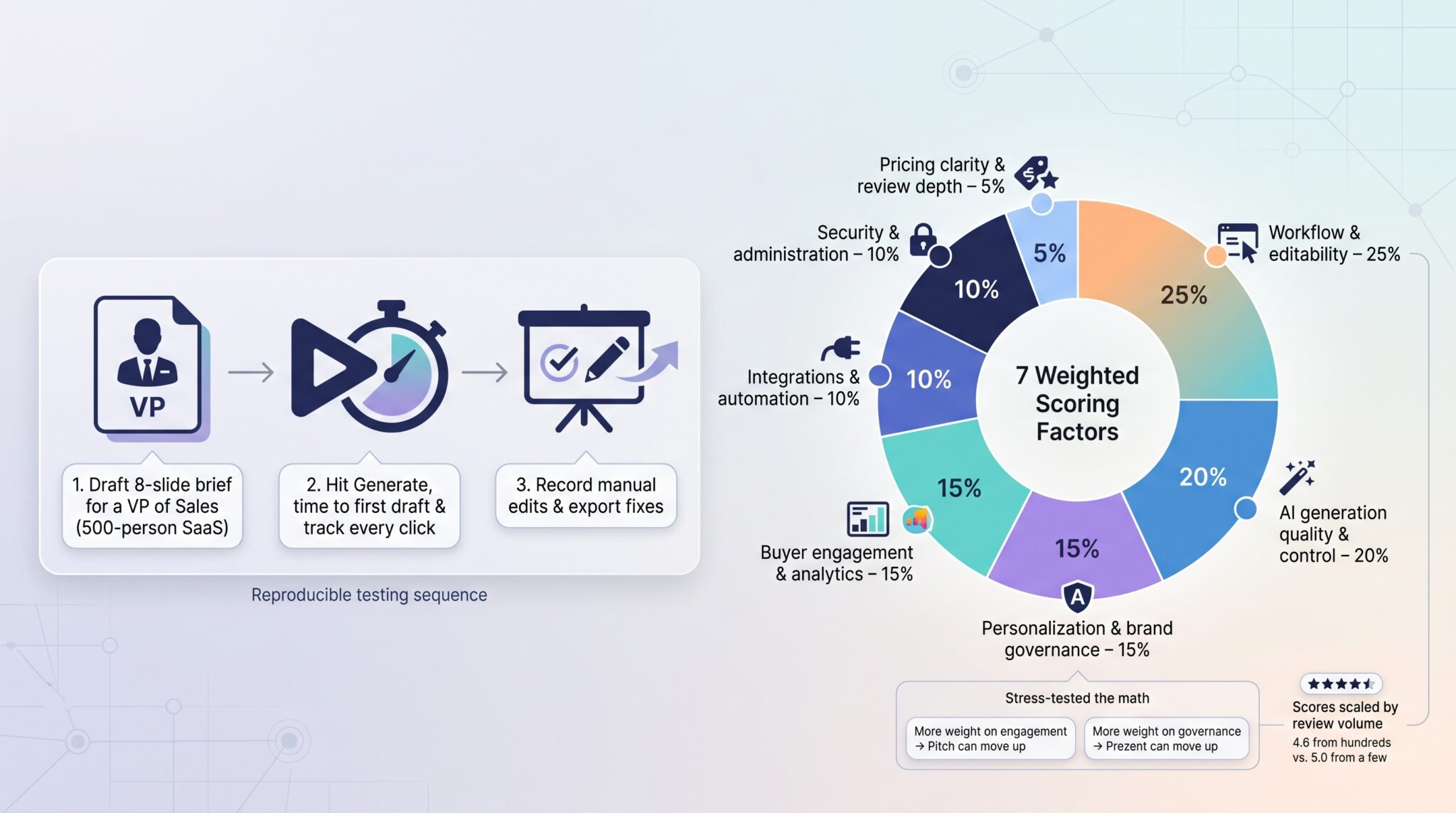
To keep the ranking honest, we used one repeatable process:
- Drafted an eight-slide brief aimed at a VP of Sales in a 500-person software company.
- Hit Generate, started a stopwatch, and logged every click until export.
- Recorded manual edits and export fixes.
Each tool earned a composite score across seven weighted factors:
- Native workflow and editability: 25 percent
- AI generation quality and control: 20 percent
- Personalization and brand governance: 15 percent
- Buyer engagement and analytics: 15 percent
- Integrations and automation: 10 percent
- Security and administration: 10 percent
- Pricing clarity plus review depth: 5 percent
Because adoption matters most, any platform that interrupts a rep’s normal PowerPoint or Slides routine starts at a disadvantage.
We combined hands-on timing with official docs, release notes, and marketplace reviews, then scaled scores by review count so five stars from five users would not outrank a 4.6 backed by hundreds.
Finally, we stress-tested the math. Double the engagement weight and Pitch moves to first; give governance extra sway and Prezent climbs. Download the worksheet, plug in your own weights, and see which tool wins for your team.
1. Plus AI: best for native PowerPoint and Google Slides workflows
For teams that already build decks in Microsoft 365 or Google Workspace, Plus AI is a presentation maker that lives inside both apps; you avoid a new editor and skip export gymnastics.
During our test an eight-slide draft appeared in 1 minute 40 seconds, and cleanup took 3 minutes because every chart, text box, and icon stayed a native shape. That editability matters when legal tweaks a disclaimer five minutes before go time.
Admins can publish locked templates, colors, and logo positions, so brand governance happens by default. According to Google Workspace Marketplace, Plus AI now exceeds 1 million installs with a 4.6/5 rating from more than 800 reviews (checked July 2026), showing strong adoption.
Where it falls short is post-send insight. A Google Slides link or emailed PPTX shows opens, but you will not get slide-level heatmaps or a deal room for collaboration. If those signals top your wish list, compare Pitch or Storydoc next.
For sellers who prize speed and zero disruption over advanced analytics, Plus AI turns raw notes into an on-brand deck before the coffee cools, inside the software you already trust.
2. Pitch: best for collaborative sales decks and tracked sharing
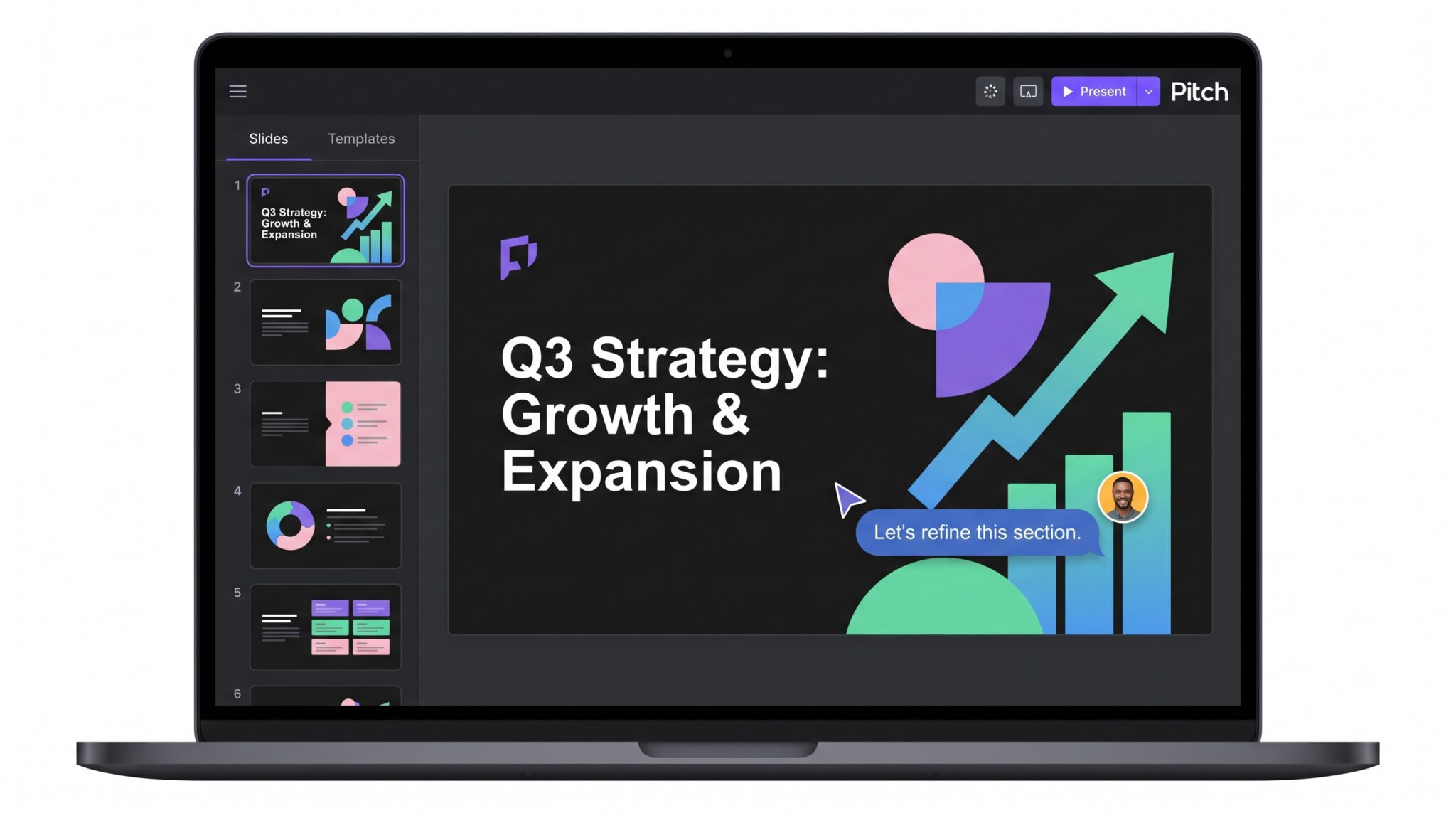
Think of Pitch as a purpose-built workspace where sales, marketing, and product build one deck instead of ten versions. With Pitch Agent you type a prompt, choose a template, and the AI drafts copy, layouts, and on-brand visuals in seconds. Quick actions—more than a dozen AI edits as of May 2026—let you rewrite tone, swap images, or translate text without breaking flow.
The benefit shows up after you share. Each deck sits at its own URL, and the analytics panel tracks time per slide, drop-offs, and forward shares, so reps chase real objections, not guesses. Teams can co-edit live, leave time-stamped comments, and roll changes into one source of truth, so you avoid “final-v4” threads.
Two things to know:
- Pitch lives outside PowerPoint or Google Slides, so expect a short learning curve.
- Deeper analytics and larger AI-credit pools start on the Plus plan at $13 per user per month (annual).
Adoption looks healthy: G2 lists Pitch at 4.4/5 from 66 verified reviews (July 2026). If your SaaS team values clean hand-offs and slide-level intent data, Pitch turns every deck into a real-time feedback loop while keeping the whole revenue org on the same page.
3. Storydoc: best for interactive, asynchronous selling
When prospects skip the live demo, Storydoc keeps the conversation going with a scrolling, web-native doc that feels closer to a lightweight website than a slide deck. Viewers can flip ROI sliders, watch product tours, book time through an embedded Calendly, or fill a form without leaving the page.
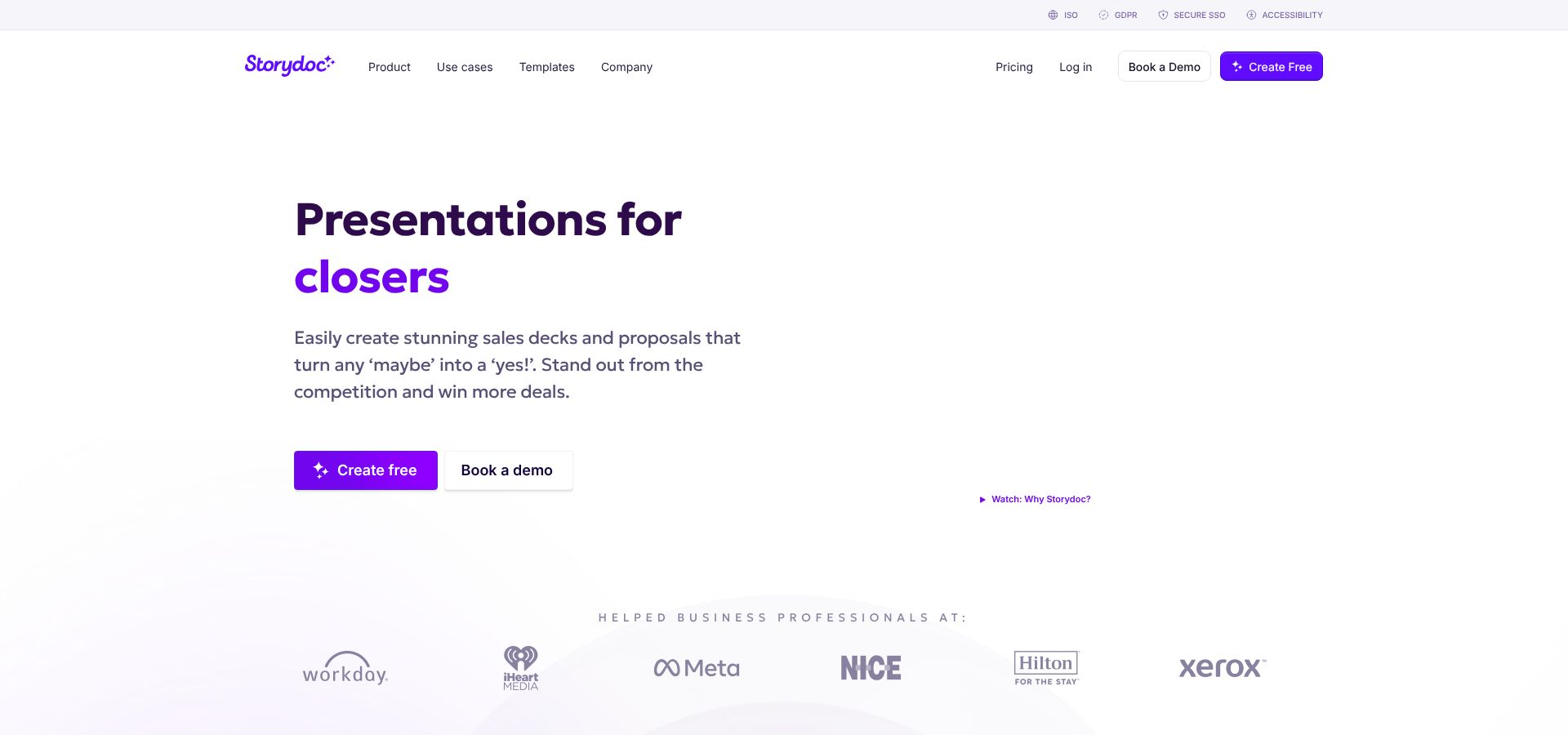
Build time is quick. Paste a URL, upload a PDF, or type a prompt and the AI assembles sections, visuals, and personalization tokens in under two minutes (internal stopwatch). You can lock brand colors, tweak copy inline, and generate unique links for every stakeholder. Engagement data lands in a dashboard and, thanks to native HubSpot and Salesforce connectors, flows straight into the CRM.
Credibility looks solid: G2 lists Storydoc at 4.7/5 from 67 verified reviews (July 2026).
Know the trade-offs:
- Export is PDF only, so teams that must red-line PowerPoint will need a workaround.
- Pricing sits behind a “Talk to sales” button, which can slow pilot approval.
For account-based teams that rely on tailored follow-ups and data-driven next steps, Storydoc turns every share link into an interactive deal room that captures intent signals you would never see in a static deck.
4. Beautiful.ai: best for brand-guided design and live ROI storytelling
Beautiful.ai’s Create with AI workflow (launched March 18, 2026) keeps every chart, icon, and text box locked to your brand palette and grid; you avoid rogue fonts or misaligned bullets.
In our stopwatch test an eight-slide draft appeared in 2 minutes, and we spent less than 1 minute polishing because the Smart layout handled spacing and typography. New Smart Slides turn revenue targets and cost inputs into interactive ROI models that prospects can adjust mid-call, turning the deck into a lightweight value calculator.
Collaboration happens in real time, and link analytics show opens and dwell time, although you will need a separate platform for slide-level heatmaps. G2 lists Beautiful.ai at 4.6/5 from 195 verified reviews (July 2026), which reinforces market confidence.
Pricing sits at $12 per user per month (annual) for Pro and about $40 for Team, which unlocks analytics and brand-control features. The trade-off: strict layout guardrails limit design freedom, but most revenue teams prefer consistency over pixel play.
Choose Beautiful.ai when a polished, on-brand deck and a live ROI conversation matter more than unlimited creative latitude.
5. Prezent: best for enterprise governance and regulated industries
Prezent’s Astrid engine turns long briefs into on-brand slides and cites every fact in footnotes, which suits teams that treat the brand guide like a legal contract. Fonts, hex codes, and approved icons lock instantly, and if a seller nudges a logo off grid, the system snaps it back.
In our test the eight-slide draft took 2 minutes 50 seconds—slower than Plus or Gamma—but every chart carried a citation and no ROI metric drifted from the source document. Pricing starts at $39 per user per month (annual) for Lite; SSO, SCIM, and overnight human design help sit in custom enterprise tiers.
Proof of trust: Prezent lists about 4.5/5 from 114 verified G2 reviews (July 2026) and advertises SOC 2 Type II compliance on its site. Recipient analytics stay basic; you will see opens, not slide-level heatmaps, but regulated teams often accept that gap for airtight governance.
Choose Prezent when legal vetoes rogue fonts and buyers insist every number be traceable back to a cited source.
6. Gamma: best for fast, web-first presentations
Gamma 3.0 (launched September 15, 2025) repositioned the platform as an AI design partner rather than a one-shot slide generator. Type a prompt and an online, scrollable deck appears in seconds; refine the outline, switch a theme, or tell the AI to tighten the story for a CFO, and the copy updates immediately.
Every deck lives at a unique link, so buyers can open it on any device without downloading a 20 MB attachment. Built-in analytics show total views and time on page, letting you follow up at the right moment. Export to PowerPoint keeps the core layout, although custom animations may need a quick touch-up.
Pricing starts at $9 per user per month (annual) on the Plus plan, with generous AI-credit pools and optional add-ons like Gamma Imagine for brand-matched images. G2 lists Gamma at 4.7/5 from more than 1,000 verified reviews (July 2026), which reflects broad adoption.
Choose Gamma when you need a polished deck in minutes, plan to share via link, and care more about momentum than pixel-perfect PowerPoint margins.
7. Canva: best all-in-one visual toolkit for scrappy teams
Need a deck, a LinkedIn graphic, and a one-pager before lunch? Canva’s Magic Design turns a short prompt and your brand kit into on-brand slides, images, and social posts in seconds.
The low learning curve is the draw: anyone who has dragged a rectangle in Canva can draft collateral without an enablement session. Reuse the same visuals across email banners, social ads, and printed leave-behinds in minutes.
In our test Canva produced an eight-slide deck in 2 minutes; another 5 minutes of tweaks, mostly swapping stock photos, made it client-ready. PowerPoint export preserved layout, but animations flattened, so complex builds need a manual touch-up.
Limits to note: presentation analytics stop at basic view counts, and CRM integrations center on asset management rather than buyer intent. Need slide-level heatmaps? Choose Pitch or Storydoc instead.
Pricing stays friendly: Free tier for individuals, Pro at $12 per user per month (annual), and a Business tier with SSO and admin controls. Credibility looks solid; G2 lists Canva at 4.7/5 from more than 8,100 verified reviews (July 2026).
Pick Canva when you juggle many hats and a polished deck is just one deliverable. Ship it fast, then spin the same assets into every other channel your deal touches.
Comparison: which AI sales presentation tool should you choose?
The scorecard gives you a baseline, but your priorities may differ. Use the quick guide below to jump to the shortlist that matches your main pain point.
| Buying trigger | Front-runner | Why it wins | Runner-up to test |
| Native PowerPoint or Google Slides workflow | Plus AI | Lives inside both apps; zero export cleanup | Microsoft Copilot or Gemini if you already own the suite |
| Slide-level engagement analytics | Pitch | URL sharing with heatmaps and CRM sync | Storydoc for richer interactive CTAs |
| Interactive async selling | Storydoc | Web-native, forms, Calendly, CRM write-back | Gamma for lightweight link-based decks |
| Enterprise brand governance and security | Prezent | Locked templates, citations, SOC 2, SSO/SCIM | Beautiful.ai Team for mid-market budgets |
| Fastest first draft | Gamma | Deck in under 90 seconds; AI design partner | Plus AI for native-file speed |
| Budget-friendly or free | Canva | Free tier plus multi-format assets | Gamma Free for link decks with basic analytics |
Adjust the grid: if analytics matter more than native editing, Pitch may outrank Plus AI for your team; if governance tops cost, Prezent climbs past Beautiful.ai.
Best for PowerPoint and Google Slides
Reps who live in PowerPoint or Google Slides rarely welcome a new editor. Plus AI keeps them in familiar menus, adds AI drafting beside the Slide Master, and exports true native shapes, so legal can tweak text without reformatting the slide.
Prefer a Microsoft-only stack? Copilot for PowerPoint now writes outlines and designs from the ribbon, but it still lacks Plus AI’s PDF-, Word-, and PPTX-to-presentation transformer. On the Google side, Gemini for Slides offers native convenience yet limits daily AI calls on free tiers and skips brand-governance locks.
Workflow continuity first? Pilot Plus AI, then benchmark Copilot or Gemini only if you already own their broader productivity suites.
Best for sales analytics
Shared decks should report back to you, not disappear into inbox limbo. Two platforms stand out, each for a different sales rhythm.
Pitch suits collaborative, fast-moving SaaS deals. Slide-level heatmaps live inside the workspace, and views can post automatically to Salesforce for real-time pipeline sorting.
Storydoc excels at asynchronous, account-based motions. Each deck becomes a mini site with forms, CTAs, and payment links; the resulting micro-conversions sync to HubSpot or Salesforce for lead scoring.
Quick guide
- Multi-editor SaaS cycles → choose Pitch
- Proposal and ABM follow-ups → choose Storydoc
Treat analytics as coaching fuel and prioritization data, and either tool will surface richer intent signals than a simple email open.
Best for enterprise branding and security
Prezent leads when governance trumps speed. Slides inherit locked fonts, colors, and citation footnotes, while admin controls connect to SSO and SCIM. The company lists SOC 2 Type II, ISO 27001, and DPAs on its security page, often enough to clear procurement checkpoints without extra paperwork.
Beautiful.ai is a strong mid-market alternative. Brand kits push approved themes to every user, and Smart Slides prevent design drift. The platform also advertises SOC 2 Type II and granular role permissions, but deeply regulated teams may still prefer Prezent’s stricter controls.
Need native PowerPoint plus strong safeguards? Plus AI Enterprise adds SSO and tenant-level data isolation to its in-app workflow, giving risk-averse orgs familiar .pptx files without sacrificing security.
Best for fast first drafts
When speed is the only KPI, two names stand out: Gamma and Plus AI.
- Gamma delivers a link-ready deck in 90 seconds or less, animations and brand colors included. Refine the outline or switch a theme with its AI design partner, all without opening a layout menu.
- Plus AI lives inside PowerPoint and Google Slides. Paste a discovery transcript, choose a style, and eight native slides land in about 70 seconds. Because every object is standard PowerPoint, legal tweaks take seconds, not a re-export cycle.
Need web speed? Pick Gamma. Need native files? Choose Plus AI. Either way, you will have a client-ready draft before the next meeting alert.
Best free or low-cost option
Budgets tighten, but pipeline targets do not. Three platforms still fit a shoestring.
Gamma Free offers non-expiring AI credits and unlimited link-based decks. Upgrade only when you need slide-level analytics or a custom domain.
Canva Free trades lighter AI for a vast template vault. Pair it with the free brand kit and you get on-brand slides plus social graphics for $0. Pro costs $12 per user per month (annual) when you outgrow the watermark.
Pitch Free limits AI credits yet opens live collaboration and basic link insights on day one, making it ideal for teams that create up to ten decks a month.
Quick guide
- Rapid web decks → Gamma
- Multi-format collateral → Canva
- Shared editing plus link analytics → Pitch
All three let you test workflows, collect rep feedback, and build an ROI case before finance signs a contract.
How to pilot an AI presentation tool before rolling it out
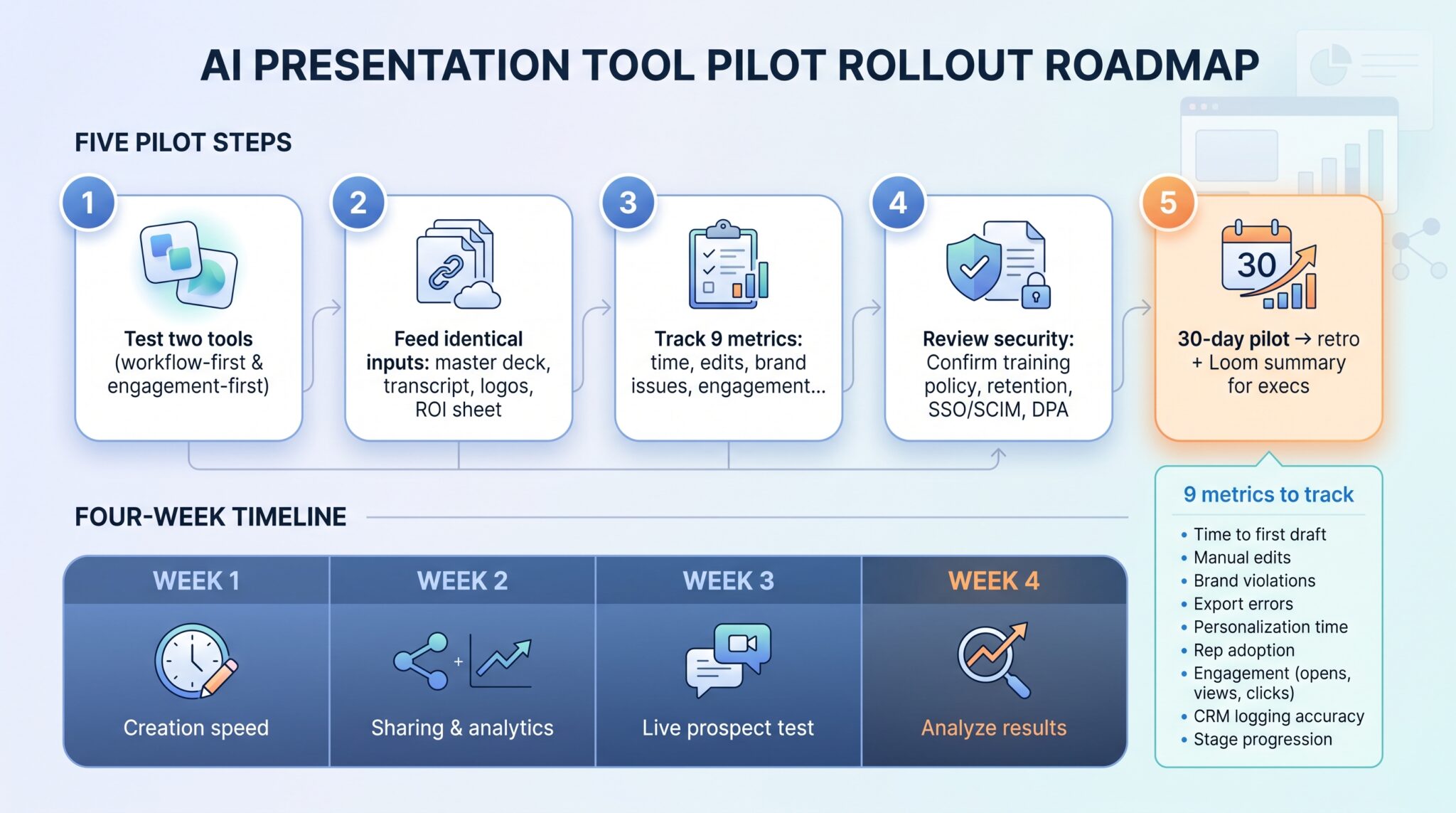
New software survives only if reps adopt it. A tight pilot keeps excitement high, risk low, and proof points clear.
Step 1: test two tools, not seven
Pick one workflow-first platform and one engagement-first platform. Invite a power trio (one AE, one SE, one marketer), give them the same customer story and brand template, and run a 10-day A/B test.
Step 2: use the same source material
Feed each tool identical inputs:
- Current master deck
- Discovery-call transcript
- Approved customer logos and proof points
- One-page ROI calculator
That way you judge the AI, not the prompt.
Step 3: measure operational outcomes
Track nine metrics in a shared sheet:
- Time to usable first draft
- Manual edits required
- Brand violations
- Export errors
- Personalization time
- Rep adoption after week one
- Recipient engagement (opens, views, clicks)
- CRM logging accuracy
- Stage progression in the pipeline
Step 4: review security before you upload data
Confirm model-training policy, retention window, SSO/SCIM, role permissions, regional data residency, and secure a signed DPA up front.
Step 5: run a 30-day pilot and debrief
Week 1: creation speed
Week 2: sharing and analytics
Week 3: live prospect test
Week 4: analyze results
Close with a one-hour retro and a Loom summary for execs. A chart that shows a 60 percent drop in time to first draft and a 30 percent lift in booked calls will sell the rollout for you.
Download the pilot-metrics worksheet to plug in your own numbers.
What AI presentation tools still cannot do for your sales team
AI can polish slides and surface engagement data, but five gaps still need human cover:

- Discovery. A model personalizes only as well as the inputs you provide. Skip the call and the deck repeats generic pain points.
- Fact-checking. Large language models write fluent sentences, not verified truth. Every stat and customer quote still needs human validation.
- Positioning. AI drafts structure; it cannot decide whether the deal hinges on cost savings or competitive displacement. That strategy work wins deals.
- Delivery. Great decks support a conversation; they do not run it. Reps must read the room, handle objections, and pivot in real time.
- Forecast accuracy. Opens and time-on-slide predict interest, not signatures. Treat analytics as prioritization signals, not win guarantees.
Keep these limits in view and the tools become an assist, not a replacement.