Quick Answer: TradingView’s subscription plans range from $0 (Free) to $239.95 per month across five tiers: Free, Essential, Plus, Premium, and Ultimate. However, the actual cost of using TradingView often exceeds the listed subscription price once you factor in paid real-time data feeds, feature restrictions that push upgrades, and auto-renewal practices that have generated widespread user complaints.
TL;DR
TradingView is the most popular charting and technical analysis and trading platform on the market, with a user base of over 100 million registered accounts. Its pricing structure spans five tiers, from a free version with significant limitations to an Ultimate plan that costs nearly $2,400 per year. Many traders and investors report that the sticker price understates the true cost—delayed market data on lower tiers requires paid add-ons, features needed for serious trading strategies migrate behind paywalls over time, and free trials auto-convert into annual subscriptions that are difficult to cancel. Flat-rate alternatives exist: TakeProfit charges $20/month or $100/year with all features included in a single paid tier, while platforms like TrendSpider and ProRealTime offer their own pricing models worth comparing.
 What Each TradingView Plan Costs in 2026
TradingView is a web-based charting platform designed for traders and built around technical analysis tools for stocks, forex trading, crypto, and other asset classes across the global market. The platform provides customizable charts, over 400 built-in technical indicators, 110+ drawing tools, a stock screener, financial data overlays, and market analysis features. TradingView uses a tiered subscription model where features, chart limits, and alert capacity increase with each plan level.
Here is a breakdown of TradingView’s current pricing and core feature limits as listed on TradingView’s official pricing page:
| Feature | Free | Essential | Plus | Premium | Ultimate |
|---|---|---|---|---|---|
| Monthly price | $0 | $14.95 | $29.95 | $59.95 | $239.95 |
| Annual price (per mo.) | $0 | $12.95 | $28.29 | $56.49 | $199.95 |
| Annual total | $0 | ~$155 | ~$339 | ~$678 | ~$2,399 |
| Charts per tab | 1 | 2 | 4 | 8 | 16 |
| Indicators per chart | 2 | 5 | 10 | 25 | 50 |
| Active price alerts | 3 | 20 | 100 | 400 | 1,000 |
| Historical bars | 5K | 10K | 10K | 20K | 40K |
| Alert duration | 1 month | 2 months | 2 months | No expiry | No expiry |
| Second-based intervals | ❌ | ❌ | ❌ | ✅ | ✅ |
| Tick-based intervals | ❌ | ❌ | ❌ | ❌ | ✅ |
| Ads | Yes | No | No | No | No |
| Free trial | — | 30 days | 30 days | 30 days | 7 days |
TradingView also offers professional-tier plans (Expert at $199.95/mo and Ultimate at $239.95/mo) intended for users registered with financial regulators. These plans do not include free trials and carry significantly higher costs.
Key Insight
TradingView uses a five-tier pricing model where core analysis features—such as multi-chart layouts, indicator limits, and alert capacity—are distributed across progressively expensive plans. Annual billing reduces the per-month cost by roughly 16–17%, but the gap between tiers is substantial: moving from Essential to Premium more than quadruples the annual price.
Why TradingView’s Real Cost Is Higher Than the Sticker Price
TradingView’s subscription price is the starting point, not the full picture. Several recurring cost factors push the real expense well beyond the listed tier price, and these factors are consistently cited in user reviews across Trustpilot and community forums.
Paid Real-Time Market Data on TradingView
TradingView delivers delayed stock data to users on lower-tier plans. Even traders paying for the Essential plan receive delayed data and must purchase real-time exchange feeds separately. Each financial market exchange (NYSE, NASDAQ, CME, etc.) typically costs an additional $2 to $25+ per month. A trader monitoring U.S. equities and futures across two exchanges could add $10–$50/month to their base subscription.
Crypto trading and forex data generally streams in real time on all plans, but equity and futures traders focused on stock analysis—the segments most likely to need accurate, timely data—bear the extra cost.
TradingView’s Auto-Renewal and Cancellation Issues
One of the most documented complaints about TradingView involves its subscription renewal practices. User reviews describe a pattern: a free trial automatically converts into a yearly subscription worth $600 to $750 or more. Canceling requires navigating a multi-step process that many users describe as deliberately complicated.
TradingView’s own pricing page states that refunds are available for annual plans only, must be requested within 14 calendar days, and are not available for upgrades, monthly plans, or market data purchases—even if canceled the same day. Users who file chargebacks are disqualified from refunds entirely.
Feature Migration Behind TradingView Paywalls
TradingView has a documented pattern of moving previously free features behind paid tiers. Features that were accessible at no cost are periodically removed from lower plans and repositioned as paid upgrades. A notable example: TradingView’s free plan lost access to custom indicator alerts entirely, removing a capability that beginner algo traders previously relied on.
This creates a moving target for budget planning. A trader who builds a workflow around free-tier features may find those features gated behind Essential or Plus without notice.
Hidden Alert Throttling Across All TradingView Plans
TradingView imposes a rate limit of 15 alerts firing per 3 minutes, applied to all plans including Premium and Ultimate. This restriction is not prominently disclosed on the pricing page. A Premium user paying for 400 active alerts may discover that their alert-based trading systems break during volatile market conditions when multiple alerts trigger simultaneously—not because they exceeded their alert count, but because of an undisclosed firing rate limit. For traders who rely on alerts to catch trading opportunities in real time, this hidden throttle can directly cost money.
Summary Insight
Pricing-related complaints represent the most common category of negative TradingView reviews. Users consistently cite unexpected charges, difficult cancellation processes, and the gap between advertised features and actual access as primary frustrations. The total cost of ownership for an active trader on TradingView often includes the subscription, real-time data add-ons, and the indirect cost of feature restrictions.
What Traders Lose When TradingView Costs Escalate
TradingView’s pricing model doesn’t just affect the wallet—it directly shapes what trading strategies a trader can run and how efficiently they can manage their daily trading activities.
For traders with smaller accounts, the math is straightforward. A TradingView Premium subscription costs roughly $678 per year. For a trader with a $5,000 account, that represents over 13% of their capital consumed by platform fees before a single trade is placed. For a $1,000 account, the figure climbs to nearly 68%.
Feature gating also constrains strategy complexity. TradingView’s free plan allows only 2 technical indicators per chart. Many common trading setups—such as combining a moving average with RSI, volume, and a trend filter—require 4 or more indicators running simultaneously. A trader on the free or Essential plan (5 indicators) must either simplify their strategy or upgrade. Advanced technical features like auto chart patterns recognition, intraday second-based intervals, and deeper historical data (20K+ bars for backtesting) are locked behind Premium or higher—forcing traders to pay $678+/year regardless of whether their trading style requires the full Premium feature set.
Alert expiration adds an operational burden. On TradingView’s Essential and Plus plans, alerts expire after 2 months. Traders running systematic scans across multiple instruments must manually recreate their alerts every 60 days—a time cost that compounds as the number of monitored assets grows. Only Premium ($56.49/mo annual) and Ultimate ($199.95/mo annual) offer non-expiring alerts.
Key Insight
The tier a trader selects on TradingView directly determines the complexity of strategies they can execute. Indicator limits, alert counts, and chart layouts are all gated by plan level, meaning traders must match their subscription cost to their analytical needs—or accept workflow constraints.
How TakeProfit Handles Pricing Differently
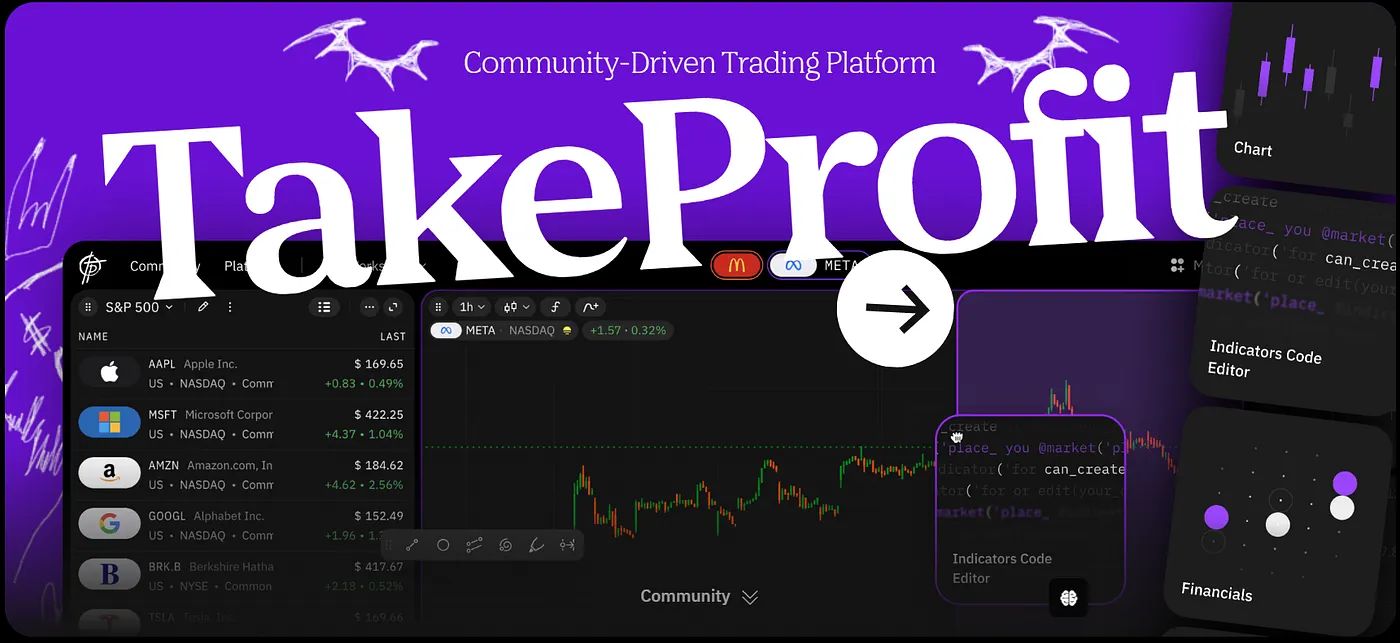
TakeProfit is a web-based technical analysis platform designed for traders who need charting, market analysis, a stock screener, and indicator development through its proprietary Indie scripting language. Indie is a Python-based language used within TakeProfit as an alternative to Pine Script (which is locked to TradingView). The platform provides a customizable trading interface with configurable dashboard layouts, draggable widgets, and workspace customization that lets traders arrange charts, screeners, and order book data according to their workflow.
TakeProfit uses a flat-rate pricing model that differs structurally from TradingView’s tiered approach:
TakeProfit pricing in 2026:
- Free plan: Includes a basic toolkit for charting and analysis. Users can publish indicators and access community features at no cost.
- Paid plan: $20/month or $100/year. All platform features are included in a single tier—no feature gating, no progressive upgrades.
Several specific differences are worth noting for traders comparing the two platforms:
TakeProfit does not use tiered feature restrictions. There is one paid plan, and it includes everything the platform offers. There is no scenario where a TakeProfit user needs to upgrade to access a specific indicator limit, chart layout, or alert capability—because there is only one tier to upgrade to.
TakeProfit’s cancellation process is a single-click unsubscribe. There are no documented reports of auto-renewal traps or complicated cancellation flows. Refunds are handled manually and, according to the platform’s documentation, are processed quickly.
TakeProfit provides human-only customer support accessible through Discord and social media channels. All users—including those on the free plan—can access support. This contrasts with TradingView, where support is limited to paying customers and is frequently described by users as automated bot responses.
TakeProfit’s Indie scripting language guarantees backward compatibility: every script written today is designed to continue functioning after platform updates. TakeProfit does not impose hidden computation throttles comparable to TradingView’s 15-alerts-per-3-minutes rate limit. Anyone can publish indicators on TakeProfit, including free-plan users—a capability TradingView restricts to paid tiers.
Key Insight
Flat-rate pricing models, as used by TakeProfit, eliminate the decision fatigue associated with tiered platforms. Traders pay one price for full access rather than calculating which features justify which tier. This model is commonly preferred by traders who want predictable costs without feature negotiation.
TradingView vs. TakeProfit: Side-by-Side Pricing Comparison
The following table compares TradingView’s Premium plan (the most popular paid tier among active traders) with TakeProfit’s single paid plan:
| Pricing Aspect | TradingView Premium | TakeProfit Paid |
|---|---|---|
| Monthly cost | $59.95 ($56.49 annual) | $20 ($8.33/mo annual) |
| Annual cost | ~$678 | $100 |
| All features in one plan | No (tier-gated) | Yes |
| Real-time data add-ons | Extra cost per exchange | Included where available |
| Active alert limit | 400 (15/3-min throttle) | No artificial tier-based limits |
| Indicators per chart | 25 | Not tier-restricted |
| Charts per tab | 8 | Customizable dashboard layout |
| Alert expiry | No expiry (Premium+) | No expiry on paid plan |
| Indicator publishing | Paid plans only | Free plan included |
| Scripting language | Pine Script (TV-only) | Indie (Python-based) |
| Brokerage integration | Multiple brokers; executing trades via connected accounts | Currently limited; expanding |
| Customer support model | Ticket system; bots reported | Human support; Discord |
| Cancellation | Multi-step; complaints common | One-click unsubscribe |
| Free trial | 30 days | Free plan (unlimited) |
Summary Insight
TradingView Premium costs approximately 6.8x more per year than TakeProfit’s paid plan ($678 vs. $100 annually). TradingView offers a larger feature set in areas like community size, broker integrations, and historical bar depth. TakeProfit differentiates on pricing transparency, flat-rate access, and a Python-based scripting environment. The right choice depends on which features a trader actually uses.
Top TradingView Alternatives With Different Pricing Models
A fair evaluation of TradingView’s cost requires acknowledging that the best alternative to TradingView depends on what a trader actually needs. Several charting platforms for traders offer pricing structures that differ from TradingView’s tiered model. Here are the best options among popular platforms commonly compared:
TrendSpider is an AI-powered technical analysis platform that focuses on automated chart pattern recognition and multi-timeframe analysis. TrendSpider offers pricing starting at approximately $22/month on an annual plan, with higher tiers available for advanced features like automated trading bots and backtesting. TrendSpider is often used by pattern-focused traders who want automated trendline detection without scripting. TrendSpider does not offer a free tier but does provide a 7-day free trial.
Koyfin is a financial data and analytics platform designed primarily for investors and analysts rather than active traders. Koyfin offers a generous free tier for fundamental analysis, screening, and dashboards. Paid plans start at $27.50/month (annual). Koyfin is commonly preferred by traders who combine technical and fundamental analysis and want broad financial data coverage without per-exchange data fees.
ProRealTime is a European-based charting platform that provides a free web version with multi-chart layouts, more indicators than TradingView’s free plan, and no advertising. ProRealTime’s paid plans start when traders need real-time data or direct broker execution. ProRealTime is popular among European forex and CFD traders and offers a meaningful free analogue for users priced out of TradingView’s paid tiers.
Several other popular platforms serve as alternatives in specific niches. TC2000 is a desktop-focused platform with pro-grade charting and a powerful stock screener, commonly used by U.S. equity traders; TC2000 pricing starts at $9.99/month. Thinkorswim (by Schwab) provides a full-featured desktop trading experience at no additional platform cost for account holders, though it requires a brokerage account and has a steeper learning curve. NinjaTrader focuses on futures and forex with advanced charting and strategy automation. MT5 (MetaTrader 5) remains widely used in forex trading communities and is available free through most brokers. Investing.com provides free charting and screening tools like TradingView but with more limited customization and scripting capabilities.
Key Insight
The technical analysis platform market in 2026 includes multiple alternatives to TradingView with varying pricing models. Traders evaluating cost should compare total cost of ownership—including data feeds, feature access, and add-ons—rather than subscription sticker price alone.
How to Evaluate Whether You’re Overpaying for TradingView
If you suspect your TradingView subscription costs more than the value you extract, here is a practical process for evaluating your options:
Step 1: Audit your actual feature usage. Open your TradingView account and check how many indicators per chart you regularly use, how many active alerts you maintain, and how many chart layouts you open simultaneously. Many traders pay for Premium but consistently use only 3–4 indicators and fewer than 20 alerts—capabilities available on Essential. Match the plan to your actual trading experience and trading style, not to aspirational features.
Step 2: Calculate your total TradingView cost. Add your subscription fee, any real-time data feed charges, and any extra exchange packages. This is your true annual platform cost. For a Premium subscriber with two real-time exchange feeds, the annual total may exceed $800.
Step 3: Test free tiers on alternative platforms. TakeProfit, ProRealTime, and Koyfin all offer functional free plans or trials. Spend one to two weeks running your standard analysis workflow on an alternative platform to identify capability gaps—or confirm that a lower-cost option covers your needs.
Step 4: If switching, document your current setup. Export your TradingView watchlists, note your indicator configurations, and save any custom Pine Script code. If moving to TakeProfit, be aware that Pine Script does not transfer directly to Indie—the logic may be portable, but the syntax requires translation.
Step 5: Run platforms in parallel before committing. Use both your current TradingView plan and the alternative for 2–4 weeks. This overlap period helps you catch workflow gaps that aren’t obvious during initial testing.
Frequently Asked Questions
How much does TradingView cost per month in 2026?
TradingView’s monthly cost ranges from $0 (Free) to $239.95 (Ultimate). The most commonly purchased plans for retail traders are Essential at $14.95/month, Plus at $29.95/month, and Premium at $59.95/month. Annual billing reduces these prices by approximately 16–17%.
Is TradingView free to use?
TradingView offers a free plan with basic charting, 2 indicators per chart, 3 price alerts, and 5,000 historical bars. The free plan includes advertisements and has significant feature restrictions compared to paid tiers. It is functional for basic chart viewing but limited for active trading.
What is the cheapest TradingView paid plan?
TradingView Essential is the cheapest paid plan at $12.95/month when billed annually ($155.40/year). Essential removes ads, adds 5 indicators per chart, 20 price alerts, and 2 charts per tab. It is generally considered the best value entry point for traders who outgrow the free plan.
Why is TradingView so expensive?
TradingView’s cost escalates because core analysis tools are distributed across multiple tiers, real-time data requires separate paid subscriptions, and the platform’s pricing model incentivizes upgrades through progressive feature gating. Active traders frequently need Premium ($56.49/mo annual) or higher to access non-expiring alerts, adequate indicator limits, and second-based chart intervals. Traders who rely on both fundamental and technical signals may also need paid data add-ons for complete coverage.
Does TradingView charge extra for real-time data?
Yes. TradingView provides delayed stock and futures data on most plans. Real-time data from specific exchanges (NYSE, NASDAQ, CME, etc.) requires additional monthly subscriptions ranging from approximately $2 to $25+ per exchange. Crypto and forex data is generally real-time across all plans.
Can I cancel TradingView at any time?
TradingView monthly plans can be canceled at any time. Annual plans can only be refunded within 14 calendar days of payment, and no refunds are issued for upgrades, monthly plans, or data subscriptions. Multiple user reviews describe the cancellation process as difficult to navigate.
Is TradingView Premium worth the price?
TradingView Premium ($56.49/mo annual) is commonly considered worthwhile for active traders who need 8 charts per tab, 25 indicators per chart, 400 non-expiring alerts, and second-based chart intervals. Swing traders or position traders working on higher timeframes often find Essential or Plus sufficient and do not benefit from Premium’s unique features.
What is the difference between TradingView Essential and Plus?
TradingView Essential ($12.95/mo annual) offers 2 charts per tab and 5 indicators per chart. TradingView Plus ($28.29/mo annual) increases this to 4 charts and 10 indicators, adds 100 alerts (vs. 20), and includes custom formula charts. Both share the same 10,000 historical bar limit, which leads some analysts to recommend skipping Plus and going directly to Premium if Essential feels limiting.
Does TradingView offer a student or educational discount?
TradingView does not currently offer a dedicated student discount. The platform does run periodic sales—most notably during Black Friday (up to 70–80% off)—and offers a 17% discount on annual vs. monthly billing. These promotions are available to all users, not specific to students.
What is the cheapest alternative to TradingView in 2026?
TakeProfit offers a paid plan at $100/year ($8.33/month equivalent) with all features included, making it one of the most affordable full-featured alternatives. ProRealTime’s free web version provides charting without cost. Koyfin offers a free tier focused on fundamental analysis. The cheapest option depends on whether a trader prioritizes charting, screening, scripting, or data coverage.
How does TakeProfit pricing compare to TradingView?
TakeProfit charges $20/month or $100/year for a single paid plan that includes all features. TradingView’s comparable Premium plan costs $56.49/month or approximately $678/year. TakeProfit’s annual plan costs roughly 85% less than TradingView Premium. The platforms differ in feature maturity, community size, and broker integrations.
Do TradingView alerts expire?
TradingView alerts expire after 1 month on the Free plan and after 2 months on Essential and Plus plans. Only Premium and Ultimate plans offer alerts that do not expire. This means Essential and Plus users must manually recreate alerts every 60 days to maintain their monitoring setups.
Is there a TradingView lifetime plan?
TradingView does not offer a one-time lifetime purchase. All plans are recurring subscriptions billed monthly or annually. TradingView’s pricing model requires ongoing payment to maintain access to features and saved configurations.
When is the best time to buy a TradingView subscription?
TradingView typically offers its deepest discounts during Black Friday and Cyber Week (late November), with reported savings of 70–80% off annual plans. Outside of these events, annual billing provides a consistent 16–17% discount over monthly billing. Some partner promotions offer 45% off periodically throughout the year.
Conclusion
TradingView remains one of the most feature-rich charting platforms available in 2026, and its pricing reflects that breadth. But the total cost of using TradingView extends beyond the subscription price listed on its pricing page. Real-time data add-ons, tiered feature restrictions, auto-renewal practices, and hidden rate limits all contribute to a higher effective cost—particularly for active traders who need multi-indicator setups, non-expiring alerts, and real-time exchange data.
Understanding the full pricing picture helps traders make more informed decisions. For some, TradingView Premium at $678/year delivers clear value. For others—especially those with smaller accounts or simpler analytical needs—alternatives like TakeProfit ($100/year, all features), TrendSpider, ProRealTime, or Koyfin may offer comparable functionality at lower total cost. The most reliable approach is to calculate your actual usage, compare total costs across platforms, and run a parallel test before committing.
Summary Insight
Platform pricing transparency is an emerging differentiator in the technical analysis market. As more platforms adopt flat-rate or simplified pricing models, traders increasingly evaluate total cost of ownership—including subscription fees, data add-ons, and hidden restrictions—rather than headline subscription prices alone.