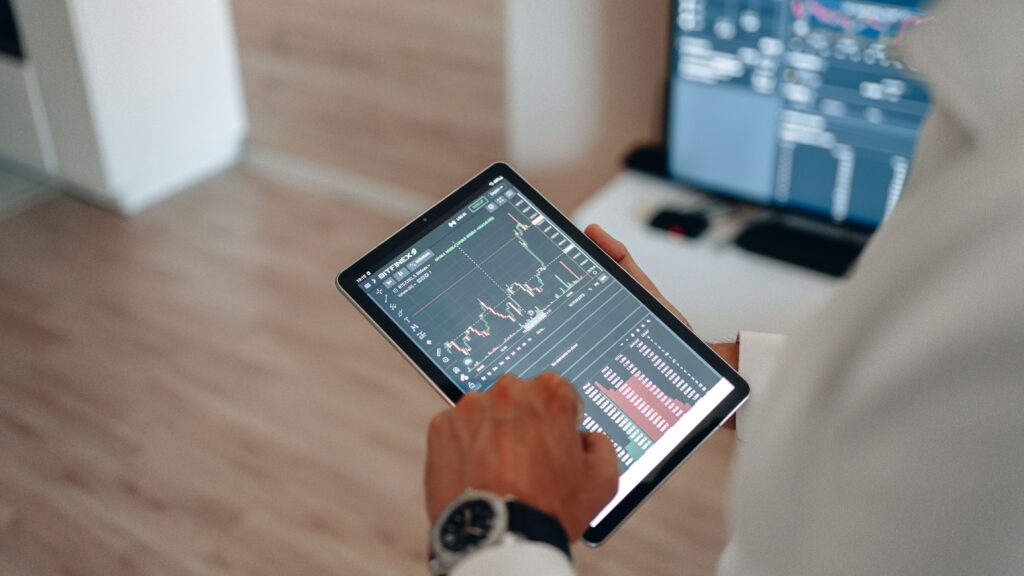
There is nothing more frustrating than the “spinning wheel of death” freezing your screen during a crucial moment. In a mobile-first world, we demand crystal-clear visuals, yet often settle for pixelated messes simply because we don’t understand the technology under the hood. Fortunately, a few strategic tweaks to your settings can transform a stuttering stream into a seamless experience.
The stakes are even higher for real-time interactions. While a buffering movie is an annoyance, lag during a live event completely breaks the immersion. This is critical for platforms like Yep Casino, where users in the “Live Casino” section rely on flawless video feeds to follow the dealer’s every move. Similarly, modern “Slots” feature complex graphics that demand stable bandwidth. If your settings aren’t optimized, you lose the precision and detail these high-definition experiences are designed to offer.
Understanding the “Trinity” of Stream Quality
To fix the lag, you first need to understand what controls the quality of your video. Most users simply look at the Wi-Fi bars in the corner of their screen, but signal strength is only one piece of the puzzle. The quality of your mobile stream is actually determined by a delicate balance between three core settings: resolution, frame rate, and bitrate. Balancing these three elements is the secret to getting a picture that looks great without choking your internet connection.
If you push all three to the maximum, even a strong connection might struggle to keep up, resulting in buffering. Conversely, if you lower them too much, the stream becomes smooth but looks like a blurry mosaic.
- Resolution (720p, 1080p, 4K): This is the number of pixels on the screen. Higher is sharper, but consumes more data.
- Frame Rate (30fps vs. 60fps): This determines the smoothness of the motion. 60fps is ideal for sports and gaming but requires more bandwidth.
- Bitrate: This is the amount of data processed per second. A high bitrate reduces “blocky” artefacts in complex scenes.
Diagnosing Your Connection Bottlenecks
Before you start adjusting app settings, ensure your environment isn’t the issue. Mobile devices are notorious for running background processes that quietly consume your bandwidth. You might think you are dedicating 100% of your internet speed to your stream, but your phone might be downloading an update, syncing photos to the cloud, or refreshing social media feeds in the background.
Identifying these “bandwidth vampires” is the first step toward a lag-free life. It is also essential to recognize the difference between network instability and hardware limitations. Sometimes, your internet is fast enough, but your phone’s processor is overheating or throttling performance to save battery.
Steps to Clear the Digital Pipe
To ensure your device is ready for high-quality streaming, follow a pre-stream checklist. These small actions can free up significant resources, enabling your video to load faster and play more smoothly.
- Close background apps: Don’t just swipe them away; force stop heavy apps like maps or social media that track location.
- Disable auto-updates: Go to your app store settings and ensure updates only happen when you are not using the device.
- Switch to 5GHz Wi-Fi: If you are at home, ensure you are connected to the 5GHz band of your router, which is faster and less crowded than the standard 2.4GHz band.
- Turn Off “Low Power Mode”: Battery savers often reduce the screen’s refresh rate and throttle the CPU, which causes stuttering.
Optimizing In-App Settings
Once your device and network are optimized, it is time to look at the specific settings within your streaming or gaming app. Most platforms default to “Auto” quality, which fluctuates wildly based on momentary dips in connection speed. While “Auto” is convenient, it is rarely the best choice for quality enthusiasts. Manually locking your settings can provide a much more consistent viewing experience, provided your connection is stable.
For standard video content, locking the resolution to 1080p is usually sufficient for mobile screens; increasing it to 4K on a 6-inch phone screen consumes data with diminishing visual returns. However, for interactive content, you should prioritize frame rate over resolution. Smooth motion is often more important than pixel density when you are trying to follow fast-paced action.
Recommended Settings by Content Type
Different types of content require other priorities. A dramatic TV show requires high resolution to capture the details in shadows, while a live stream requires stability to prevent delays. Here is a quick guide on how to prioritize your settings based on what you are watching.
| Content Type | Priority | Recommended Setting | Why? |
| Movies/TV | Resolution | 1080p / 24fps | Visual clarity is key; lower frame rate is standard for cinema. |
| Live Sports | Frame Rate | 720p / 60fps | Smooth motion is vital to track the ball or players; resolution is secondary. |
| Interactive Gaming | Latency | Low Latency Mode | Reduces the delay between your input and the screen’s reaction. |
| Talking Heads/News | Stability | 720p / 30fps | Low demand; prioritize a stream that never buffers. |
The Future of Seamless Streaming
As mobile technology advances, we are seeing the introduction of new codecs and 5G networks that promise to make buffering a thing of the past. However, technology is only as good as how we use it. Even with the fastest connection in the world, poor settings can lead to a subpar experience. By taking control of your configuration, you shift from being a passive consumer to an active user, ensuring that you get every pixel you pay for.
The next time you settle in to watch a live event or play a high-definition game, take a moment to check your surroundings. Clear your background apps, choose the right Wi-Fi band, and manually adjust your stream quality. These small habits accumulate to create a seamless digital experience, allowing you to focus on the entertainment rather than the technology delivering it.