Have you ever noticed how restaurants manage so many things at the same time?
Orders come from tables, takeaway counters, and sometimes even from cars at the drive-thru. Staff handles payments, kitchen teams prepare food, and managers keep track of sales. In the middle of all these activities, a restaurant needs a system that keeps everything organized.
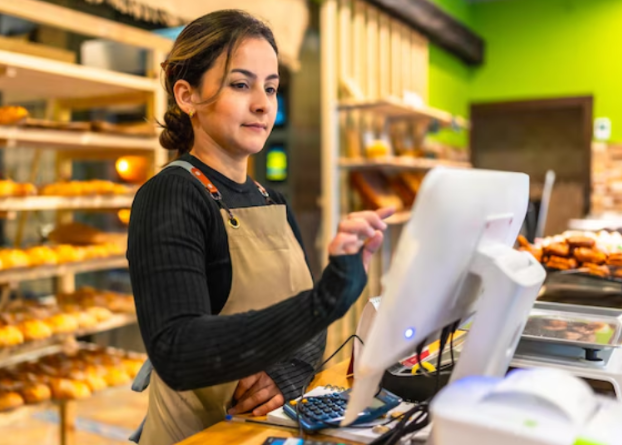
A modern restaurant often uses a restaurant pos system to manage daily tasks. This system helps staff record orders, communicate with the kitchen, process payments, and monitor restaurant activity in one place. Instead of juggling many separate tools, restaurants use a POS system to keep operations structured and clear.
Below are ten important roles a POS system plays in everyday restaurant work.
1. Managing Customer Orders
Restaurants receive many orders during the day. Some come from dine-in guests, others from takeaway counters or online platforms.
Clear Order Entry
When staff enter an order into the POS terminal, each item is recorded clearly. The system stores the details such as menu item names, quantities, and special instructions.
The kitchen team receives the same order information immediately. This helps everyone stay on the same page during busy service hours. The order flow becomes organized, and the restaurant team can focus on serving customers smoothly.
2. Sending Orders Directly To The Kitchen
Good communication between the dining area and the kitchen helps food reach customers on time.
Digital Kitchen Communication
After the order is entered in the POS system, it moves straight to the kitchen. Many restaurants connect their POS with a kitchen display system. The kitchen team can see incoming orders on a screen.
The display shows dish names, quantities, and notes added by the server. The kitchen team prepares the food based on these details, and the workflow remains organized during busy hours.
3. Processing Customer Payments
Payment processing is one of the final steps of the dining experience.
Simple Billing Process
A POS system calculates the bill automatically after the order is complete. Taxes and totals appear instantly on the screen.
Staff can accept various payment methods through the same system. Customers may choose cards, mobile wallets, or other digital payments. The POS system records each payment clearly, which keeps the billing process organized.
4. Updating Menu Items
Restaurants often adjust their menus. New dishes may be introduced, or prices may change depending on seasonal ingredients.
Digital Menu Control
With a POS system, menu updates can be done directly through the software. Managers can add new dishes, modify prices, or update descriptions within minutes.
Once the update is saved, staff see the new menu information on the ordering screen. This helps the restaurant keep menu details accurate for both staff and customers.
5. Tracking Daily Sales
Restaurant owners usually like to understand how their business performs during the day.
Organized Sales Information
The POS system records each order automatically. Managers can review daily sales information and see how many orders were served during different times of the day.
This data helps restaurant teams understand customer patterns. They can see which dishes are popular and which time periods bring more visitors.
| Sales Detail | Example Insight |
| Total Orders | Number of meals served in a day |
| Popular Dishes | Items ordered most often |
| Busy Hours | Times with higher customer activity |
| Payment Types | Card, mobile payment, or cash |
6. Supporting Kitchen Organization
Restaurant kitchens often prepare many dishes at once. A structured workflow helps the kitchen team manage orders efficiently.
Organized Cooking Queue
When the kitchen receives orders through the digital system, chefs can view them in a clear sequence. Orders appear in the order they were placed, and the kitchen team prepares dishes accordingly.
This system helps maintain a steady rhythm in the kitchen. Staff can track which orders are being prepared and which are ready to serve.
7. Helping Staff Work Efficiently
Restaurant teams often handle many responsibilities during service hours.
Staff Task Coordination
The POS system keeps information in one place. Staff can check order details, process payments, and review menu items using the same platform.
Because information is easy to access, the team can focus on serving customers instead of searching for details in different systems. This helps daily restaurant work feel organized and manageable.
8. Supporting Drive-Thru Operations
Many restaurants offer quick service options for customers who prefer ordering from their cars.
Coordinating Vehicle Orders
Some restaurants connect their POS with a drive thru system. Staff can take orders from the drive-thru lane and send them directly to the kitchen.
This setup allows the restaurant to handle dine-in orders and vehicle orders at the same time. The POS system keeps all orders organized so the team can manage them smoothly.
9. Keeping Records Of Transactions
Restaurants handle many transactions every day. Recording these transactions clearly helps maintain organized business operations.
Digital Transaction Records
A POS system stores each payment and order record automatically. Managers can review these records whenever needed.
The system shows details such as the items ordered, payment method used, and time of the transaction. This digital record keeping helps restaurants stay organized and informed.
10. Supporting Overall Restaurant Management
Running a restaurant involves many daily activities. Managers often need a clear view of how operations are moving.
Centralized Restaurant Information
A POS system brings together order management, payments, menu updates, and sales reports in one platform. Managers can review daily activity without needing multiple tools.
Because all information is stored in one system, restaurant teams can keep their operations structured and well coordinated. This helps staff focus on providing a comfortable dining experience for customers.
Final Thoughts
Restaurants manage many tasks during the day, from taking customer orders to preparing meals and processing payments. A restaurant POS system supports these activities by keeping information organized and accessible for the entire team. It helps staff record orders, communicate with the kitchen, track sales, and manage payments in one place. When a restaurant uses a structured system for daily operations, both staff and customers benefit from a smooth and well-organized dining experience.