The way people work together has changed a lot lately, as many offices now have some staff working from home while others sit at their desks in the main building. This mix of locations creates new challenges in ensuring everyone stays on the same page without confusion or wasted time. It is a common frustration to realise that three different people are working on three different versions of the same file because they each downloaded a copy from an old email. This kind of mess happens because the old ways of sending files back and forth do not really keep up with the pace of a day when people move between their kitchen tables and formal meeting rooms. Taking a moment to think about how information moves through a team can prevent a lot of those small errors that end up taking hours to fix later in the week.
The Shift Toward A Single Place For All Your Files
One of the big reasons why teams struggle with a hybrid setup is that they lack a central spot where the most recent work always lives for everyone to see. When you use a collaborative document-sharing system, you remove the need for those long email chains that clutter inboxes and make it hard to find the right attachment. The real value is not just in storing the file but in how it allows two people to look at the same screen and make changes at the exact same time. It feels a bit like sitting next to a coworker and pointing at a piece of paper, even if you are actually hundreds of miles apart. Companies like Egnyte provide a platform where these files stay safe and easy to find, so that no one has to guess if they have the right version of a project before they start their part of the task. When a deadline is approaching, the team needs to move fast without stopping to ask who has the master copy.
Managing Who Can See And Change Your Information
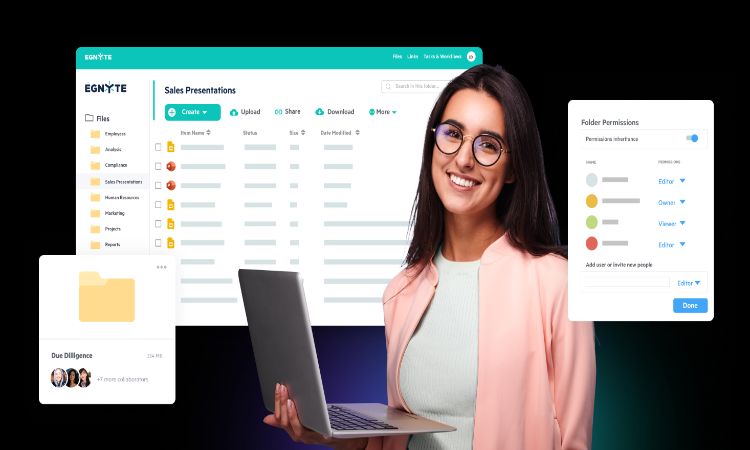
A realistic observation about working in a digital space is that not everyone needs to see every single file the company owns for their daily tasks. You want to make sure the right people have access to the right folders without locking down the whole system so much that it becomes a pain to get anything done. It is helpful to have a setup that allows you to grant a guest or client permission to just one specific folder while keeping the rest of the business data private and secure. Regular checks of these access levels help keep the work environment organised and prevent accidental deletions or changes by someone who was supposed to read the file. Many teams find that once they have a clear data structure, they spend much less time on the phone trying to track down a missing link or a lost password.
The Logic Of Working In Real Time Across Different Zones
If you have people in different cities or even different countries, it is hard to wait for a reply to a message before you can move on to the next step of a project. When the team uses a collaborative document-sharing method, the work doesn’t have to stop just because one person finished their day and another is just starting theirs. The file’s history shows who did what and when, providing a natural trail of breadcrumbs for the next person to follow. This kind of transparency makes the whole group feel more connected because they can see the progress of the work as it happens rather than waiting for a big update at the end of the week. It is a simple way to build trust because everyone can see that the project is moving forward and can jump in to help whenever they have a free moment in their schedule.