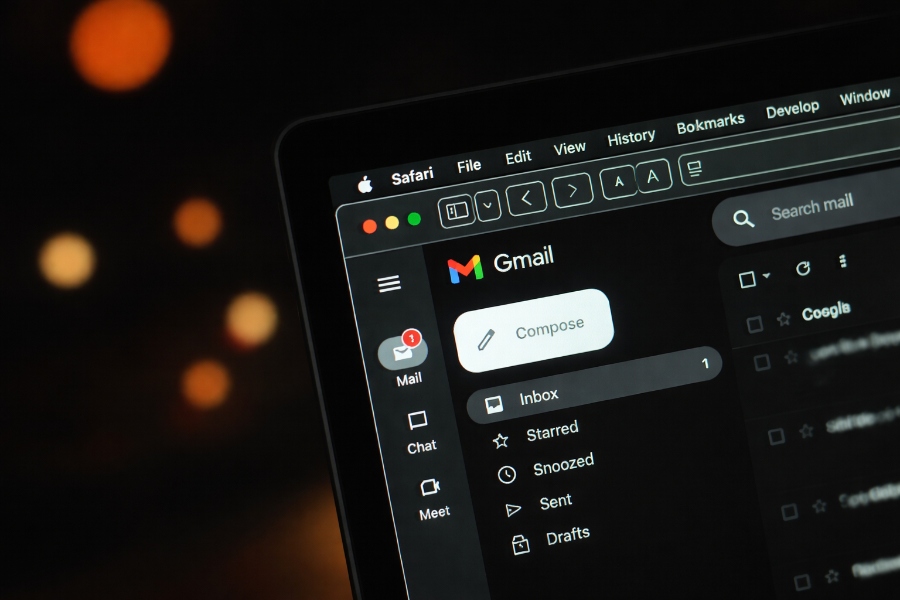
For decades, Gmail users in the U.S. have faced a frustrating limitation: once you create an email address, it’s essentially permanent. Mistakes, outdated usernames, or embarrassing handles could force users to start fresh with a new account losing years of emails, contacts, and associated data in the process. That’s finally changing.
Google has announced a new feature allowing U.S. Gmail users to change their email address without creating a new account. This update addresses a common user complaint and makes Gmail more flexible for personal and professional use.
The change is straightforward but comes with eligibility rules and limitations. In this article, we explore how the Gmail address change works, who can use it, its significance, and what it means for security and email management.
What the New Gmail Address Change Feature Is?
Previously, Gmail did not allow users to modify the portion of their email before “@gmail.com.” Any username changes required creating an entirely new account, forwarding emails, and manually updating logins across Google services.
The new feature lets eligible U.S. users directly update their Gmail address while retaining their existing inbox, Drive files, Photos, and YouTube account data. The old email address becomes an alternate address, meaning messages sent to either address land in the same inbox.
This is a significant shift for Gmail, as it merges the convenience of keeping your existing data with the flexibility of changing your online identity. Google’s move also aligns Gmail with other services that already offer more flexible username management.
How It Works: Step‑by‑Step?
Changing your Gmail address is designed to be simple. The steps are as follows:
- Sign in to your Google Account.
- Navigate to Personal info.
- Select Email.
- Click Google Account email.
- Enter the new email prefix you want (before “@gmail.com”).
- Confirm your choice. Google will notify you of any limitations or conflicts.
- The old address automatically becomes an alternate email tied to the same account.
After this, you can send and receive emails from both addresses. Some app settings may reset, so Google recommends reviewing your Google Calendar, Drive sharing permissions, and third-party app access after changing your address.
Eligibility and Limitations
Not every Gmail user can immediately take advantage of this feature. Here are the key points:
- Region: Currently only available for U.S. accounts.
- Frequency: Users can change their Gmail address once every 12 months.
- New Accounts: Any new addresses created cannot be deleted within that 12-month period.
- Maximum Addresses: A single Google Account can have a maximum of four Gmail addresses (including the original).
Additionally, some recurring features like calendar invites may still display your old email. Therefore, it’s important to review all connected apps and services before making a change.
Feature Comparison: Old Policy vs New
| Feature | Old Gmail Policy | New Gmail Address Feature |
|---|---|---|
| Change username | Not allowed | Allowed once every 12 months |
| Email forwarding | Manual setup required | Automatically forwards from old address |
| Data retention | User must create new account | All Drive, Photos, YouTube data preserved |
| Alternate email | Optional, user-set | Old address automatically becomes alternate |
| Maximum Gmail addresses | N/A | 4 per account |
Why This Change Matters for Users?
The ability to change your Gmail address addresses multiple pain points:
- Professional branding: Users can update an outdated or unprofessional handle without losing years of data.
- Personal privacy: Those who regret using their birth year, full name, or other identifying details in their email can modify it.
- Data continuity: Instead of juggling multiple accounts or forwarding emails, users keep everything in one place.
- Reduced friction: Previously, changing addresses required tedious workarounds, risking lost emails or login issues.
Consequently, Gmail becomes more user-friendly and modern, competing better with services like Outlook, which already allows alias creation and more flexible management.
History of Gmail Address Policies
Since Gmail launched in 2004, email addresses were essentially permanent. Users could:
- Change their display name, but not the actual email address.
- Use email forwarding, but this did not eliminate the old email or simplify account management.
- Create a new Gmail account and manually migrate data — a complex process requiring Google Takeout or third-party tools.
These restrictions frustrated users for years, with forums and social media often highlighting complaints about “embarrassing” or outdated usernames. Google had occasionally tested internal solutions but never rolled out a public option until now.
User Reactions and Expert Opinions
The response to the announcement has been largely positive:
- Tech enthusiasts appreciate the convenience and flexibility.
- Privacy advocates note that this reduces the need to abandon old accounts entirely.
- Experts in digital identity management emphasize that keeping the old email as an alternate is smart, maintaining continuity and preventing disruption.
However, some caution that users should verify connected apps and reset two-factor authentication settings to avoid login problems. Experts recommend backing up important data before making the change.
Comparison with Other Email Services
Gmail’s new feature brings it closer to competitors:
| Service | Email Address Flexibility | Notes |
|---|---|---|
| Gmail (U.S.) | Change username once per 12 months | Old address becomes alternate |
| Outlook | Create aliases, switch primary | No limit on aliases; flexible |
| Yahoo Mail | Limited alias creation | Changing primary address not straightforward |
| ProtonMail | Can create multiple addresses | Paid tiers only for extra addresses |
In comparison, Gmail is now competitive but still more restrictive than Outlook in terms of frequency and total addresses.
Potential Impacts on Security, Privacy, and Identity Management
While convenient, changing your Gmail address has implications:
- Security: Two-factor authentication remains active, but users should verify recovery methods.
- Privacy: Reduces exposure of personal identifiers in outdated email addresses.
- Identity Management: Easier to maintain consistent branding across professional and personal accounts.
Moreover, businesses using Gmail for employees may need to adjust internal email directories and ensure compliance with legacy systems.
Pros & Cons of Changing Gmail Address
| Pros | Cons |
|---|---|
| Retain all emails, files, and account data | Only available once every 12 months |
| Keep old address as alternate | New addresses cannot be deleted for 12 months |
| Improve professional or personal branding | Some app settings may reset |
| Simplifies email management | Limited to four Gmail addresses per account |
| Reduces need for email forwarding | Rollout currently only in the U.S. |
Conclusion
Google’s new Gmail address change feature represents a major shift in account management flexibility. For U.S. users, this means less hassle, better privacy, and the ability to maintain long-term continuity of email data. While there are limitations, the update is a clear step toward modernizing Gmail and aligning it with user expectations in 2026.
This update may also influence other email providers to consider more flexible address policies, highlighting the importance of user-centric features in a competitive market.
FAQs
Can all U.S. Gmail users change their address?
Yes, the feature is gradually rolling out to U.S. accounts. Check eligibility under Personal info → Email in your Google Account.
How many times can you change your Gmail address?
Once every 12 months, with a maximum of four Gmail addresses per account.
Does changing your Gmail address delete emails?
No. All emails, files, and Google services remain intact. The old address becomes an alternate email.
Will this feature roll out outside the U.S.?
Currently, it is only available for U.S. users. Google has not announced a global rollout.
Is your Google account affected when changing Gmail address?
No, your Google Account remains the same. However, some app settings may reset, and recurring features like calendar invites may still display your old address.